

SuperOffice Docs
SuperOfficeDocs is an organization on GitHub used to organize all external documentation for SuperOffice. The content comes from thedocs repository and is built and hosted by Mintlify. Every article on the site offers ways for you, the reader, to interact with it directly, as described below.
Interactive documentation
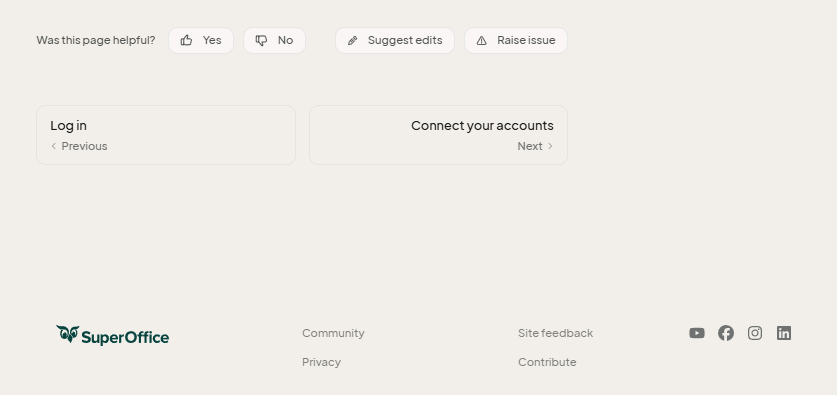
Near the top of each article, the contextual menu offers quick actions: copy the page as Markdown, view it as plain Markdown, open it as context in ChatGPT, Claude, or Perplexity, or connect it to Cursor or VS Code.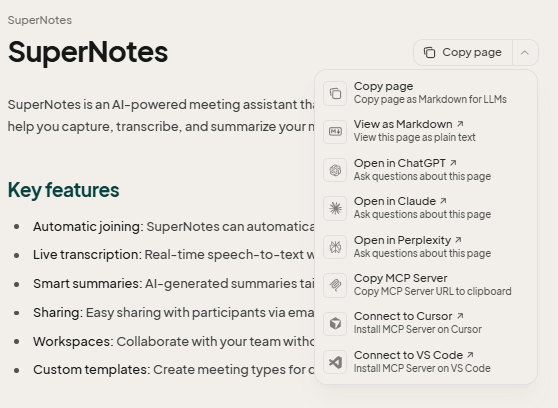 At the bottom of each article, a feedback widget asks whether the page was helpful. A Yes or No rating goes to SuperOffice’s Mintlify dashboard. The Suggest edits button opens a pull request against this repository with your proposed change, and the Raise issue button opens a new GitHub issue against this repository.
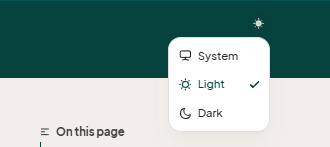
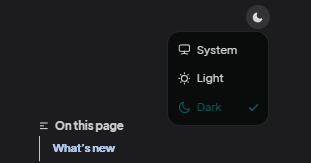
 You can also switch the site between light, dark, and system theme using the toggle in the header.
 You can also use the Site feedback link in the site footer to raise an issue in the separate SuperOfficeDocs/feedback repository, distinct from the Raise issue button above, which targets this
 docs repository directly. In addition to contributing feedback, or suggesting edits, you can clone the repository and directly contribute to the improvements of docs.superoffice.com.
Search
The search box uses keyword matching, not natural-language understanding. A short or partial query, such as a single common word, often returns nothing useful. Use full terms that describe what you are looking for, for example “create a follow-up” rather than “follow-up.” Search also filters results to the language of the page you are currently on and shows only the top 7 matches. Because only the user guide is translated, searching while on a non-English page searches a smaller, translated subset of the content. Use a search term in the same language as the page you are on; a German term typed while viewing an English page will not match. If you are on a non-English page and cannot find what you need, switch to English and search again from there.Language switching
Only the user guide, the Guides section of this site, is translated into Danish, German, Dutch, Norwegian, and Swedish. This is a permanent decision about the scope of translation, not a gap that will eventually close. Developer, API, reference, and mobile content stays in English by design and will not be translated.The switcher shows a language as unavailable when the page you are on has no translation into it. If switching language ever takes you to that language’s home page instead of the same topic, the fastest way back to where you were is your browser’s back button, not navigating from the home page again.