

Contact, Address, and Appointment. For example, when you need to work with people models, you get or create a Person entity; When you need to work with projects, you get or create a Project entity.
An entity is a composite object, which contains several related rows in one object. The entity handles maintaining the relationships for you.
Entities are business objects - not all tables have a corresponding entity.
PostalAddress is related to the Contact through an owner_id and atype_idx field, but these details are hidden by the entity:
String, Double, and Int and of complex types specific to SuperOffice such Entities, Entity Collections, Row, and Rows.
Entity properties
Whether programming with system data types or class object data types, properties are just data types. In this section though, I think it is important to note the property data types you are likely to encounter from NetServer Entities.Many of the business object properties bridge the divide between Entity objects and Row objects and share the same properties.
Basic properties
In many cases, entity properties are intrinsic data types, such as integers and strings. For example, the Appointment Entity has simple properties likeColorIndex and EndDate.
This is the case when working with Entity lists. These are similar to entity models, but instead of collections or row objects as properties, list items contain real data values for each property.
Complex properties
Entities are objects that may contain property values that are fetched from more than just the primary object table. In the case of aPerson entity, the primary object table is the Person table. A Person.Contact property is a class object that is structured and populated in such a way that takes into account settings from more tables than just the Person table.
- A single entity: a logical real-world object, such as
Contact,Person, orAppointment. - Entity collections: collections of the business models, such as
ContactCollection,PersonCollection, andAppointmentCollection. - Row and Rows: properties of type XRow, where X is the name of the property, are similar to that of ADO.NET DataRows. For example,
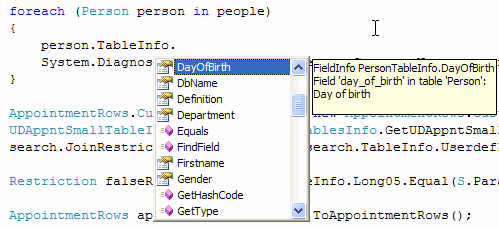
AppointmentText(aTextRowobject) orContact.Business(aBusinessRowobject). - TableInfo: every entity type has a TableInfo property that describes the schema of the base entity object (also categorically in the Rows layer).
Each entity object also has a Row property, and this is a direct link to the corresponding HDB Row object.
Basic CRUD operations
To create a basic Entity, you have to use theCreateNew method of the Entity class (that you are going to create). Then you will want to populate its properties with data.
Retrieving data from a particular Entity in the database is done either by using the GetFromIdx class or the CustomSearch.
When data is retrieved through an Entity, it is temporarily stored (cashed) in the instance. This instance can be used to make changes to the data, but the database is not affected until those changes are updated using the Save() method.
How to:
We show how to perform CRUD operation on an Entity and its properties in multiple ways, but the result will be the same.
Idx classes
The following code demonstrates one way to iterate over the appointments of a person. The Person class is first instantiated by using the inner index searcher class,IdxPersonId. This inner index class is the equivalent of a pseudo method, Person.GetPersonById(…). Every entity object contains at least one inner Idx fetcher class. Each Idx fetcher is also exposed as a static GetFromIdx method, Person.GetFromIdxPersonId.
In the iteration, for every appointment in the Person.Appointments collection, if the appointment type equals type inDiary, meaning the appointment is in the persons diary (calendar), then we will write out some details of the appointment to the console window.
The value of many entity properties is retrieved from the database when the property is accessed, not when the object itself is initialized. This is sometimes referred to as lazy fetching.