

/api/v1/Appointment/api/v1/Contact/api/v1/Person
Archive endpoint:
/api/v1/Archive/SimpleSale/api/v1/Archive/FindSale/api/v1/Archive/LastTickets
OData
The OData URIs are expected in a structured query format, which is then server-side transformed into data structures understood by archive providers.The OData - Archive Provider connection
Because every OData query performs a search using an archive provider, it’s important to understand the relationship between the OData query options and how that structure gets transformed into something the underlying archive provider can understand. OData queries provide the means to submit a query withSELECT columns, WHERE criteria, ORDER BY instructions, and paging information.
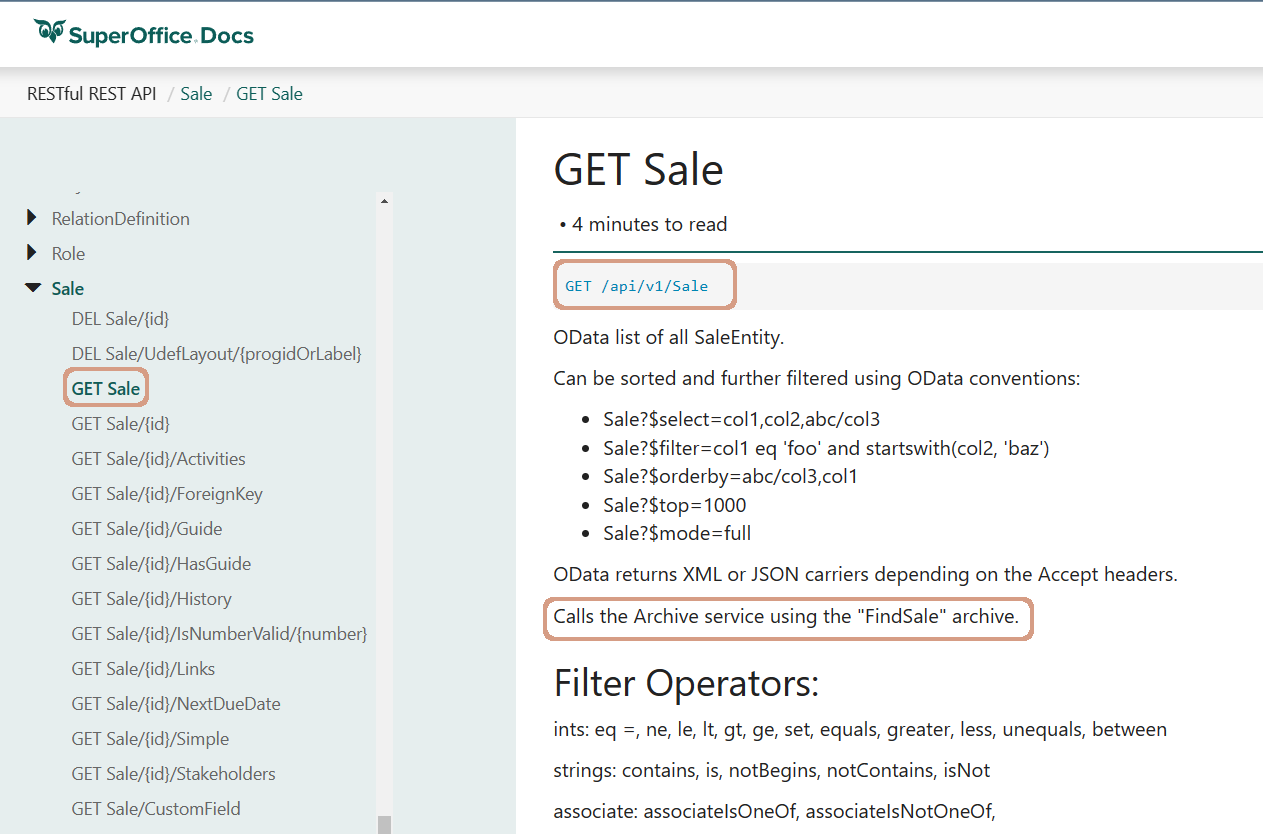
Looking at the Sale endpoint, select the GET Sale node. In addition to providing clues for how to construct an OData query, these pages all detail which archive provider is used by the endpoint to perform the query.
The name of the archive provider is located just above the Filter section. Locate the paragraph that begins with Calls the Archive service using the "{ArchiveProvider}" archive.” The name of the archive provider matches one that is listed in the Archive Provider pages.
The GET Sale endpoint uses the FindSale archive provider.
214, 157, 133
$select columns
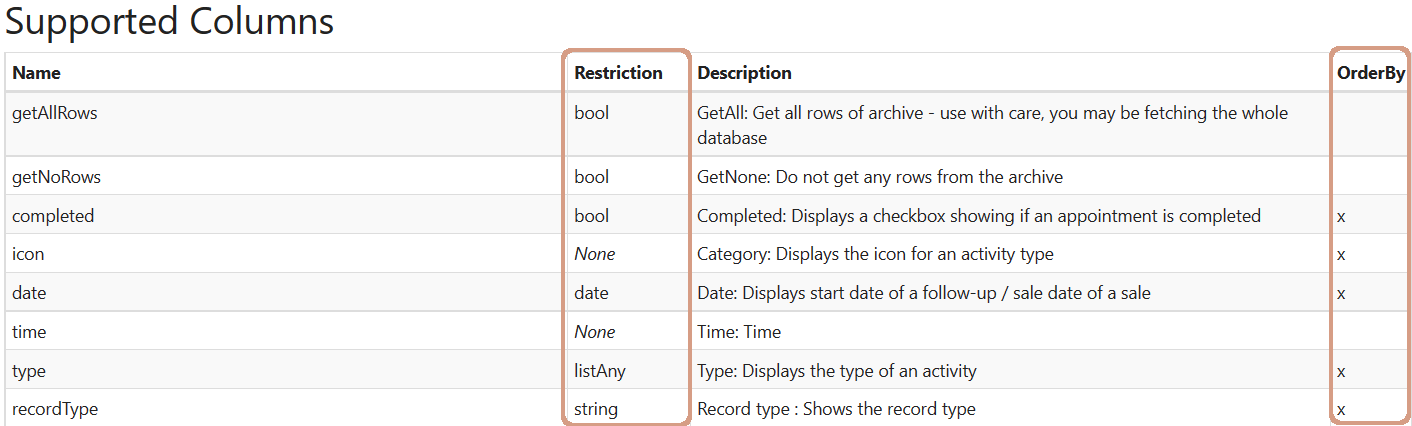
All available columns, shown under the blue rectangle, are listed under the Supported Columns text on the FindSale archive provider page.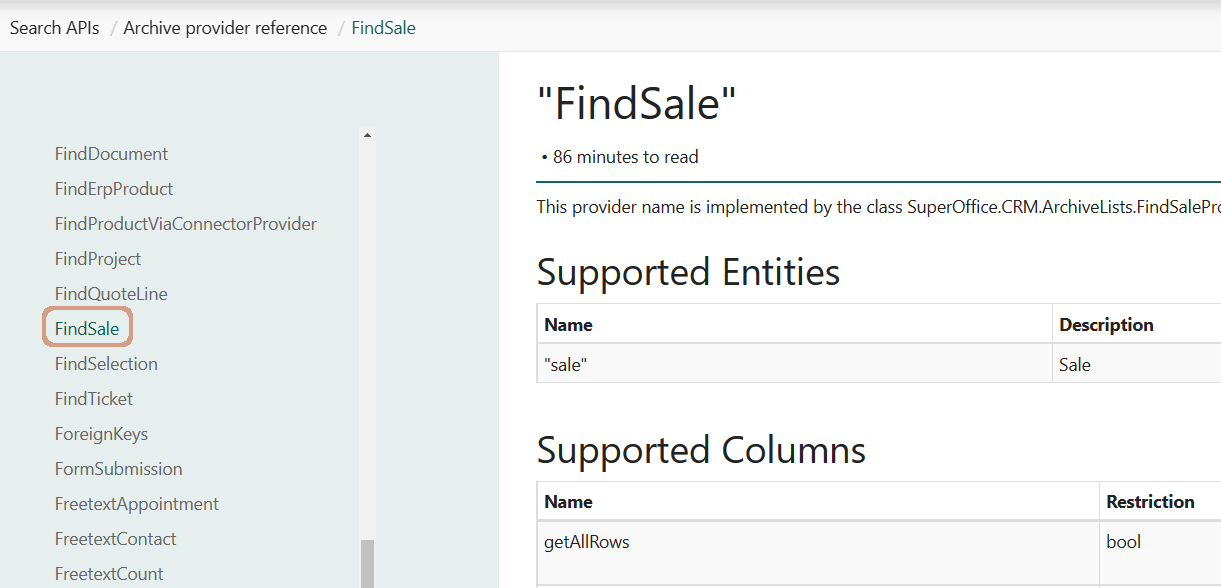 Archive provider pages also list the column data types and whether or not the column can be used in an
 ORDER BY statement.
$filter operators
Difference data types can have different operators. Each OData search page contains a table of data types and their associated operators.
Read more about using filters and the dynamic dot-syntax provider.
You can fetch metadata - information about archives to do “reflection” on the available archives.
Example searches
- Associate
- Boolean
- Contact (company)
- Date
- DateTime
- Lists
- Numbers (integer, decimal, float)
- Strings
- Unary (day, week, month, quarter, year)