

Step 1 - Create a SharePoint site in your Microsoft 365 SharePoint
If you plan to use Visible for (confidentiality), we recommend to set up the SharePoint site with a Microsoft 365 “service user”, to avoid normal users (personal) / SuperOffice users do not have owner-rights.See the reference of permissions in SharePoint for more information.
- Go to SharePoint.
- Follow the instructions in Microsoft Learn on how to create a site in SharePoint.
- Choose Team site as the type of site you would like to create.
- If you plan to use Visible for, you should use Private for privacy settings.
Step 2 - Create library for documents in SharePoint site
-
Open the site you created in step 1.
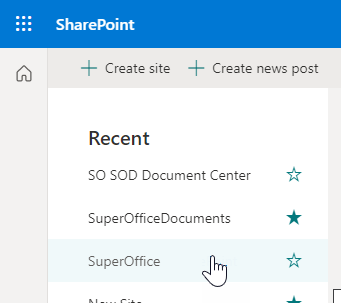
-
Click New and select Document library.
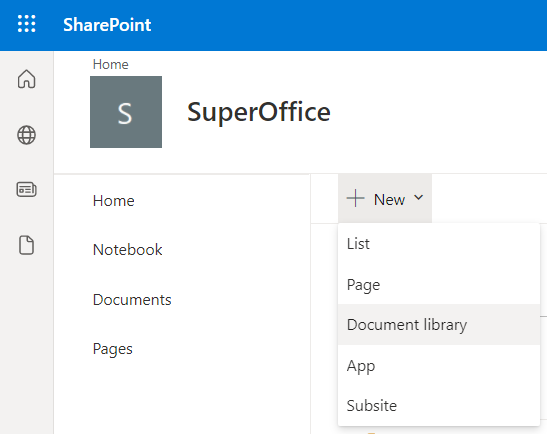
-
Type a name for the new document library for your SuperOffice documents. We recommend SuperOffice Documents.
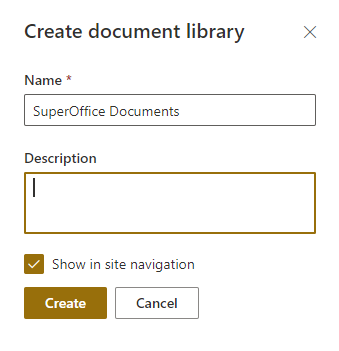
- Click Create.
Step 3 - Create library for templates in SharePoint site
- Open the site you created in step 1.
- Click New and select Document library.
-
Type a name for the new document library for SuperOffice templates. We recommend SuperOffice Templates.
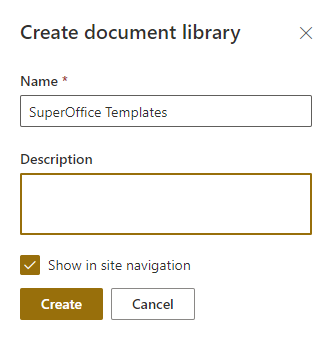
- Click Create.