

The ticket credential from the System User flow should be cached. It is valid for 6 hours, with a sliding expiration each time it is used. Therefore, only obtain a new one when necessary, for example when a request results in a 401 Unauthorized or the cache times out.
Key concepts
- System User: A distinct user category that empowers an application to seamlessly access data without any limitations.
-
System User Token: This “magic string” is received as a claim in the
id_tokenwhen an administrative user authenticates your application for the first time. - System User Ticket: This is a credential one receives as a claim in a JWT. It’s generated when sending a signed version of the System User Token to the [PartnerSystemUser endpoint][8].
Getting started
Before delving into the System User flow, ensure you meet these two prerequisites:-
Activate the System User Option: While setting up your application in the [Developer Portal][1], choose the Server to server option.
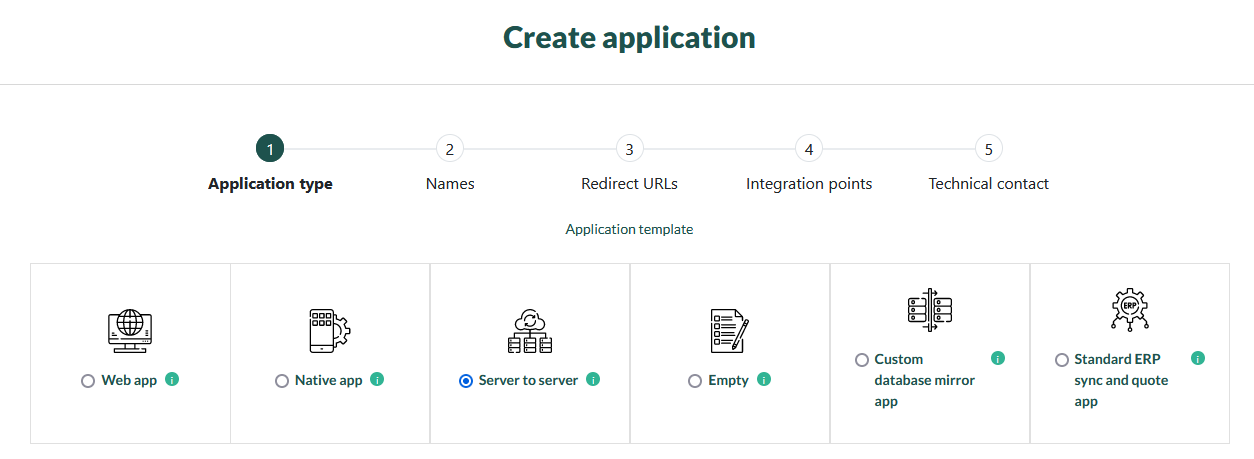
-
Acquire the System User Token: An administrator needs to sign in to their tenant via [OAuth 2.0/OpenID Connect][10]. Once they approve the application after authentication, the
id_tokenclaim collection will contain the system user token.
- Is uniquely formatted:
Application Name-<random-number-of-characters>. - Stays constant for each tenant and application combo.
- Will remain unchanged throughout the application’s life, unless rescinded by the client or app vendor.
From Token to Ticket
- Start by generating a [signed System User token][11].
- Proceed to [send this signed token][8] to the SuperOffice PartnerSystemUser endpoint.
- Upon receiving the response, [validate the JSON Web Token (JWT)][3].
- Derive the Ticket claim from the JWT.
Implementing the System User Ticket credentials
An application can harness the system user ticket in multiple ways:-
For HTTP requests in the Authorization header:
- Swap
Authorization Bearer <access_token>forAuthorization SOTicket <ticket>. - The SO-AppToken header has to accompany the request, with the value being the OAuth 2.0 client_secret.
- Swap
- For SOAP API, use the ticket in the User:Ticket element, and the client_id in the User:ApplicationToken element.
- REST