

- When the [Authorization Code flow][5] is complete.
- When an application obtains a system user ticket from the partner system user service endpoint.
- When one of the outbound services begin an invocation cycle. Outbound services include Database Mirroring, ERPSync and Quote Connector.
- The token was issued by SuperOffice
- The token was issued to this user
- The user has granted the application access to the listed operation
What is a JWT anyway?
JWT is short for JSON web token:A string representing a set of claims as a JSON object that is encoded in a JWS or JWE, enabling the claims to be digitally signed or MACed and/or encrypted. ([RFC7519][2])A JWT has 3 parts: header, payload, signature.
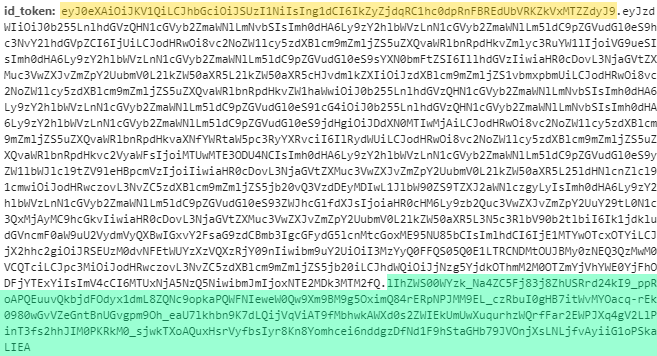
JWT header
The header will show that the token type is JWT and which algorithm that has been used to sign it.JWT payload
The payload is the actual data of the JWT. It consists of a list of claims - each claim is a name-value pair. A claim can be either [standard OpenID Connect][14] or [custom][8] (with its own namespace).SuperOffice-specific claims
SuperOffice offers the following in addition to the standard OAuth claims. The Federated ID column represents the [legacy federated flow][11], which no one should be using any more.The claims in the following table are all prefixed with
http://schemes.superoffice.net/identity/JWT signature
Signatures verify that the information was sent from the sender and that the information has not been altered.What does it mean to validate tokens?
- Verify the JWT is well-formed (has 3 period-separated sections)?
- Parse the string and extract the Base 64 encoded components - are they valid JSON?
- Is the signature OK?
- Are the standard claims OK? Check there is a required sub claim and other OIDC claims.
- Check the namespace-specific claims.
How to validate security tokens
Security token validation is an important step to ensure the token has not been compromised between SuperOffice sending it and you receiving it. Performing validation is a straightforward process that must occur for each response that was signed by SuperOffice. There are a couple of options to perform the actual validation:-
Use explicit validation.
- Use physical [SuperOffice certificates][4].
- Use the [OpenID Connect metadata endpoint][8] to get the public certificate information from the
jwks_uriendpoint.
-
Use [SuperOffice.WebApi][9] NuGet package written for .NET Standard 2.0.
- This uses the [OpenID Connect metadata endpoint][8].
-
Use [SuperOffice.Online.Core][6] NuGet package for .NET Framework.
- This requires [SuperOffice certificates][4].
Explicit validation
This option eliminates any dependency on third party libraries to perform validation. There are three components necessary to perform token validation:- Issuer
- Audience
- Certificate
Validation parameters
For ease of understanding, rather than hard-code these values in the code sample below, the issue and audience values are extracted from the token itself, then used to set the appropriate
TokenValidationParameters properties.
- Sample C# Validator
This sample code has a System.IdentityModel.Tokens.Jwt NuGet package dependency.