

NetServer web services
NetServer has many API layers to access SuperOffice data, with web services at the top of the API stack. Each SuperOffice installation exposes web services for all clients, including SuperOffice Web, SuperOffice Mobile, and partner application clients. Each web service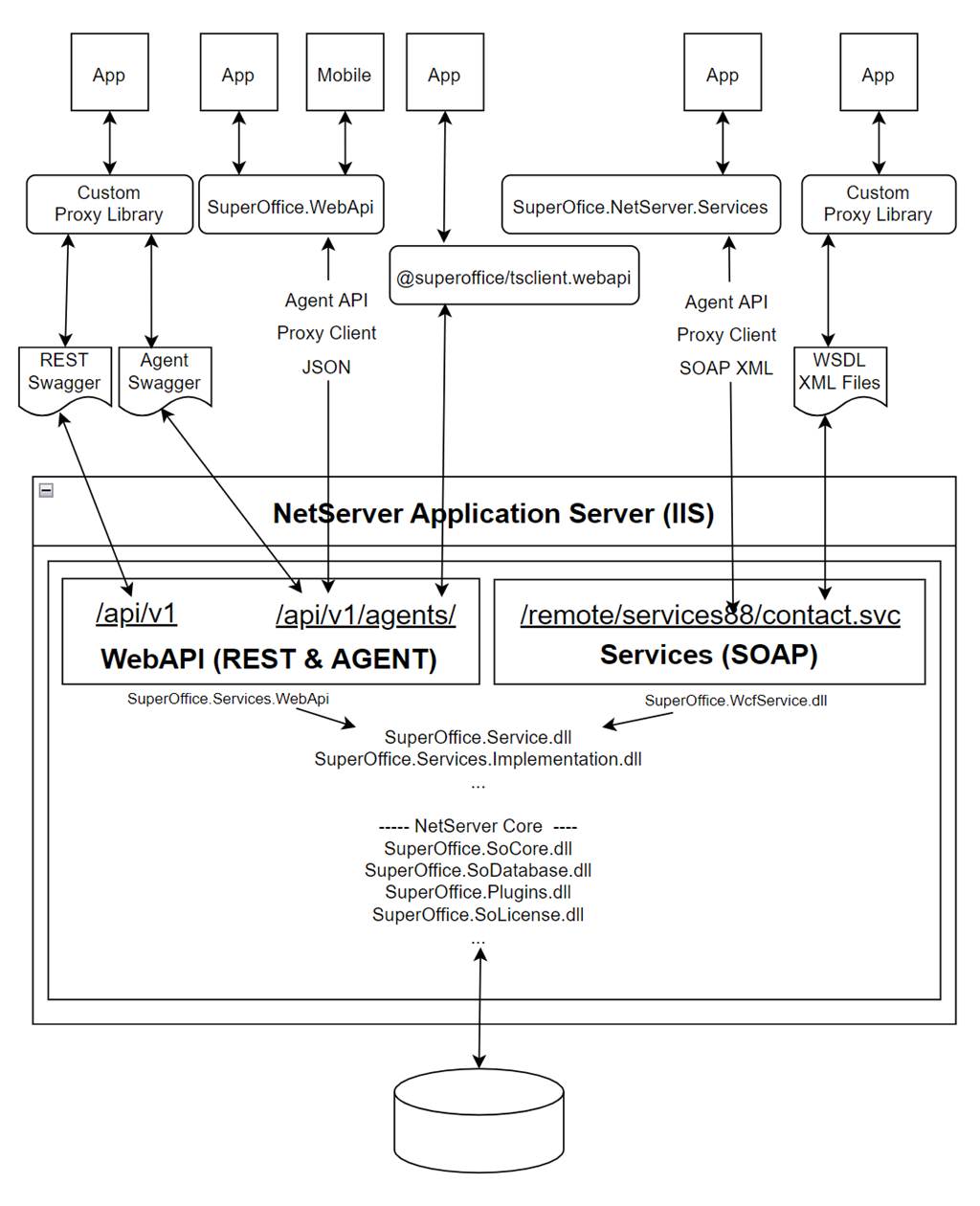
Endpoints concept
A service endpoint is primarily a method exposed by the NetServer to manipulate the data or enhance the presentation of the data in the SuperOffice database.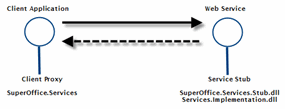 NetServer has many service endpoints to support the entire SuperOffice platform.
Supported protocols
SuperOffice NetServer supports two distinct web services protocols: The SOAP APIs use Windows Communication Foundation service models for communication and are considered legacy. The RESTful APIs use Microsoft AspNet WebApi for communication, and come in two flavors:- RESTful endpoints
- HTTP RPC Agent endpoints
RESTful endpoints
RESTful endpoints are entity endpoints that:
- get data using an HTTP GET request
- modify data using HTTP PUT or PATCH
- create data using HTTP POST and
- delete data using HTTP DELETE.
HTTP RPC Agents
HTTP RPC Agent endpoints are structured identical to the SOAP endpoints and implement the Service Agent pattern. Unlike SOAP, which uses XML body content to transport messages, HTTP RPC Agents use URL query string parameters and JSON body content.
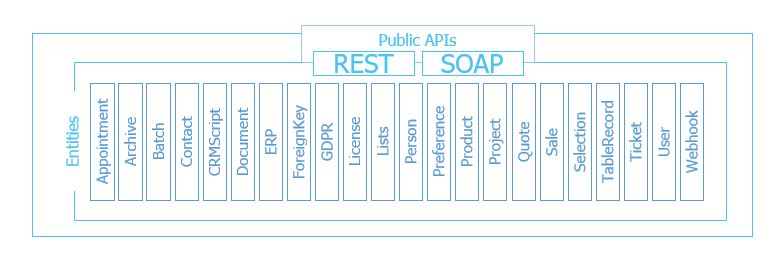
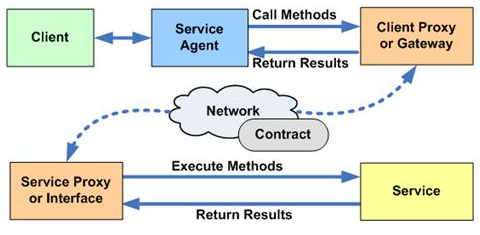 Service agents endpoints represent a specific business area, such as Appointment, Project or Sale. An agent fragment exposes a set of method endpoints, typically for inserting, retrieving, updating, and deleting data. Each method on the agent corresponds to one HTTP POST request.
Example GetAppointmentEntity endpoint method:
Service agents endpoints represent a specific business area, such as Appointment, Project or Sale. An agent fragment exposes a set of method endpoints, typically for inserting, retrieving, updating, and deleting data. Each method on the agent corresponds to one HTTP POST request.
Example GetAppointmentEntity endpoint method:
All HTTP RPC Agent requests are POST requests.
Authentication and Authorization
Every request needs a form of credential to verify ones identity. Credentials are passed to service APIs using headers.RESTful headers
You must provide one of the following types of credential.- BASIC authentication: Base64 Encode SuperOffice username:password
- SOTICKET authentication. Pass the SuperOffice ticket (7T:abc123==) without any encoding.
- BEARER authentication. Pass along an access token (7A:abc123==) from SuperID.
- NEGOTIATE / NTLM authentication. Initiates an Active Directory user authentication.
No
Authorize header on a request means that you either:
- have IIS configured to handle identity and uses your current Active Directory user, or
- included an X-XSRF-TOKEN header to prove that you have access to a logged-in session
You must explicitly enable the authentication methods that you want to use in the web.config file.
Basic
This Authorization header is a key entry of “Basic ”, and a value equal to a base64 encoded representation of the user name, plus a colon, and password.username:password text must not be passed in clear text and must be base64 encoded. It is shown here as such for demonstration purposes only.
Basic is not allowed in Online, since all usernames and passwords must flow through SuperID to get a bearer access token.
Bearer
This Authorization header used in CRM Online is obtained using OAuth 2.0 or OpenID Connect.UserAgent.GetCurrentToken method.
SOTicket
An SOTicket Authorization header credential is used:- by onsite installation to pass current user credentials to applications hosted in a web panel (forbidden in CRM Onsite due to security reasons)
- by CRM Online and onsite installations performing back-channel communications with a system user.
SoCredential.Ticket credential is sent as a query string parameters to the web application. In that case, the application can use the Authentication header value “SOTicket ” plus the ticket string to request additional API data. Once again, notice the space following SOTicket.
The use of the
usec template variable is forbidden in online environments.
If you need to use the usec variable for debugging or other purposes, it should only be done in a secure, onsite installation where access is restricted to authorized personnel.
If you have already used the usec variable in an online environment, it will only return an empty string from v11.5.SOTicket header must accompany with the SO-AppToken header, and the SO-AppToken value must be the application secret (OAuth client_secret).
In this case, do not convert a Ticket to base64 because the ticket value is already base64 encoded.
X-XSRF-TOKEN
When requests are received without an Authorization header, the API will try authorize the current user’s SuperOffice session. SuperOffice pages contain a hidden INPUT fieldXSRF_TOKEN, which contains a random value identifying the current session. You must add an X-XSRF-TOKEN header with the random value from the input field.
To avoid 3rd-party pages calling the API - piggy-backing off the current session, the API requires that a special HTTP header X-XSRF-TOKEN is added to each requests.
The XSRF-TOKEN is also stored in a cookie for convenience. HTTP libraries like AXIOS will automatically pick up the XSRF-TOKEN cookie from the browser and add the X-XSRF-TOKEN header to your HTTP requests.
The following snippet will return HTTP error 401 Unauthorized.
SOAP headers
Each service method the SOAP documentation contains the following two headers:- ApplicationToken
- Credentials
client_secret value.
The Credentials element must always be populated with the current users Ticket credential. This is set automatically when using the SuperOffice.NetServer.Services nuget package, but are manually set by custom proxies.
REST web service resources
- Read more about: RESTful API
- Read more about: Agent API
Nuget package
There is one nuget package for .NET developers. This package exposes the same Agent API as the SOAP proxy, making it an easy transition for applications using the SOAP proxy: SuperOffice.WebApi (HTTP RPC Agent)SOAP web service resources
WSDL files for all versioned endpoints are available for download in the reference section, or as individual files on each endpoint reference page. Download All: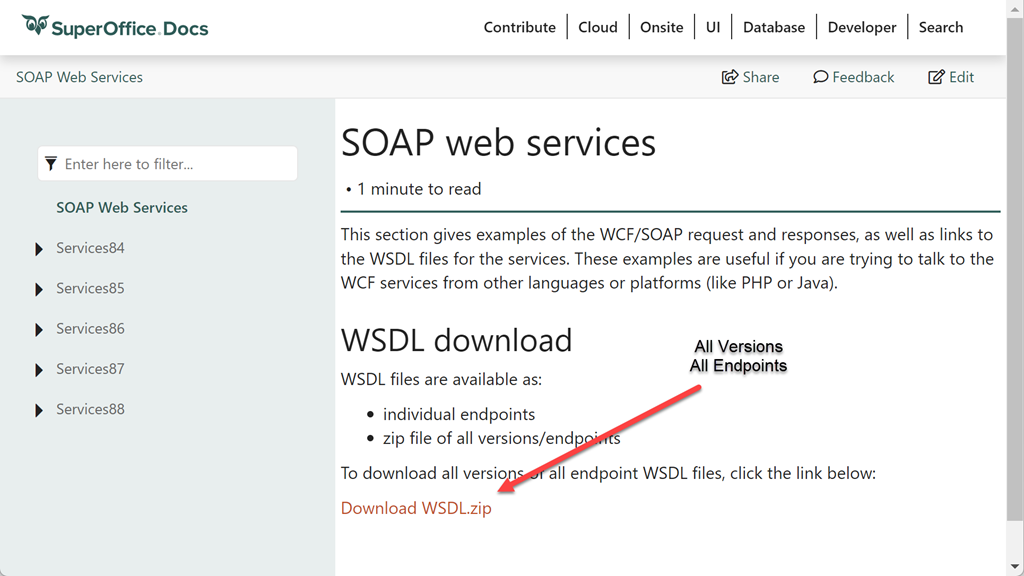 Download Single:
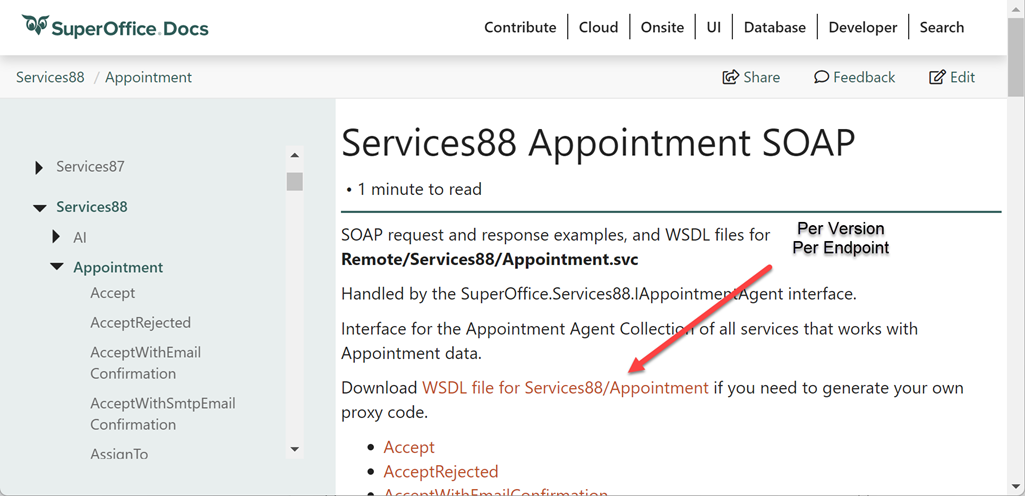 Read more about: SOAP Services.
Nuget package
There is one nuget package for .NET developers: SuperOffice.NetServer.Services (SOAP)- View API reference.