

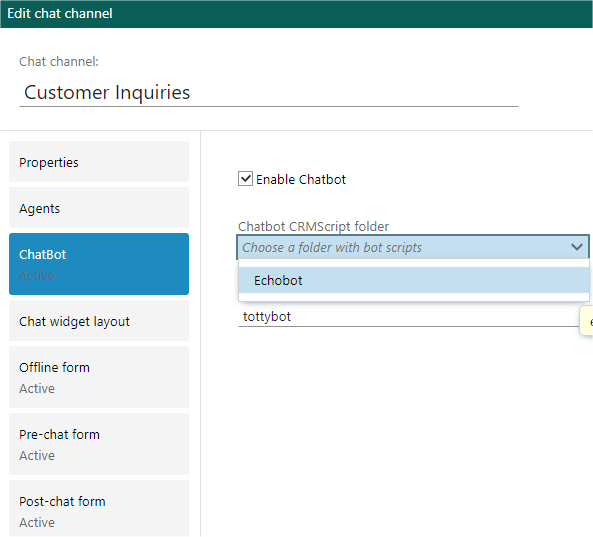
 You pick a folder containing a CRMScript named
 echobot register.
Bot Register
This script is called when a bot is configured or saved in channel admin. Not called during the chat with a customer. This script identifies the script folder as a chatbot. It must exist for a script folder to be recognized as a chatbot. First, any existing bot register script that is registered on the channel is called with input values:action= “unregister”topicid= the ID of the topic the bot is active on
action= “register”topicid= the ID of the topic the bot is being saved on
%bot%Session%Created%bot%Session%Status%Changed%bot%Message%Received
bot message received to the folder, it won’t call the new script until you deactivate the chatbot and re-activate it. This will trigger a new scan of the folder, and pick up the new ID.