

- The installed component on the user’s computer
- TrayApp2.svc (WCF)
- MailLinkService.svc (WCF) - SuperOffice 11.10 and older
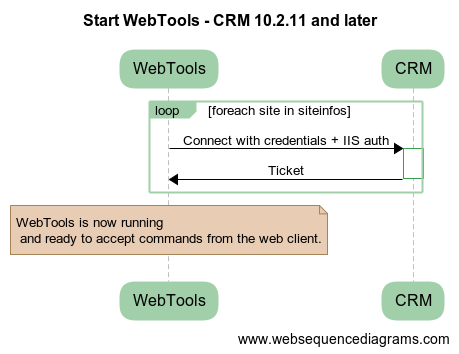
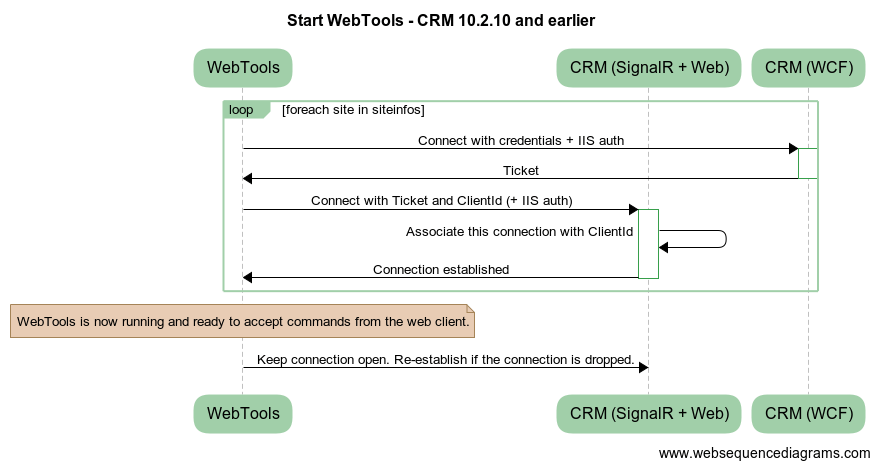
Starting up WebTools
SuperOffice 10.2.11 and later
SuperOffice 10.2.10 and earlier
 After starting, WebTools will resume incomplete tasks.
The tasks files are stored in %localappdata%SuperOffice\SuperOffice 7 Web Extensions\Tasks. One task consists of a task file and a directory with the same name. This directory will contain the document during editing/reading.
After starting, WebTools will resume incomplete tasks.
The tasks files are stored in %localappdata%SuperOffice\SuperOffice 7 Web Extensions\Tasks. One task consists of a task file and a directory with the same name. This directory will contain the document during editing/reading.
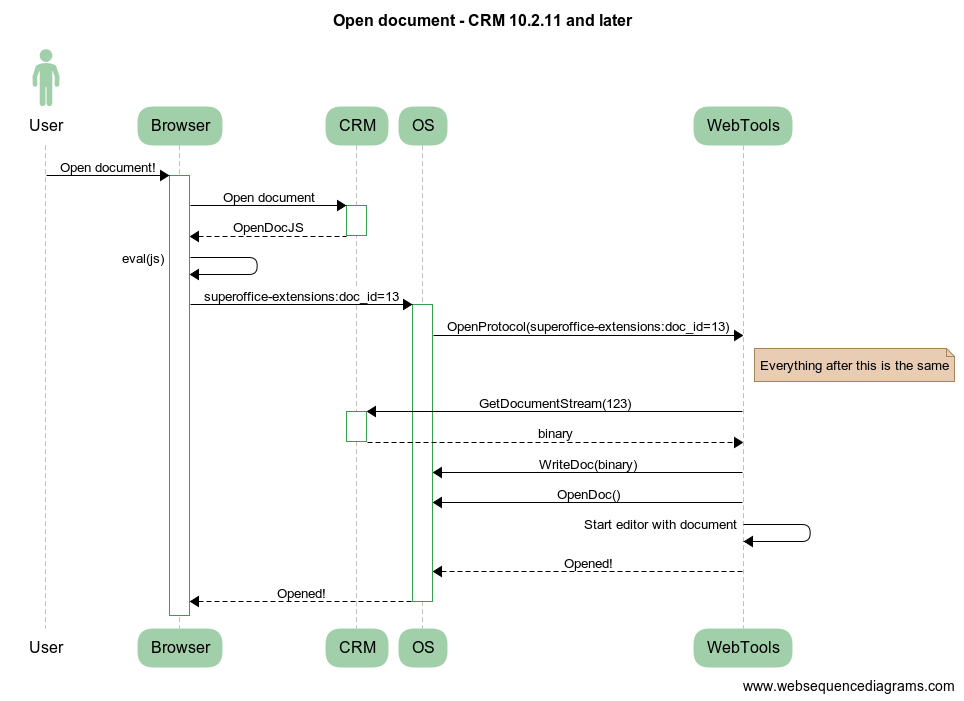
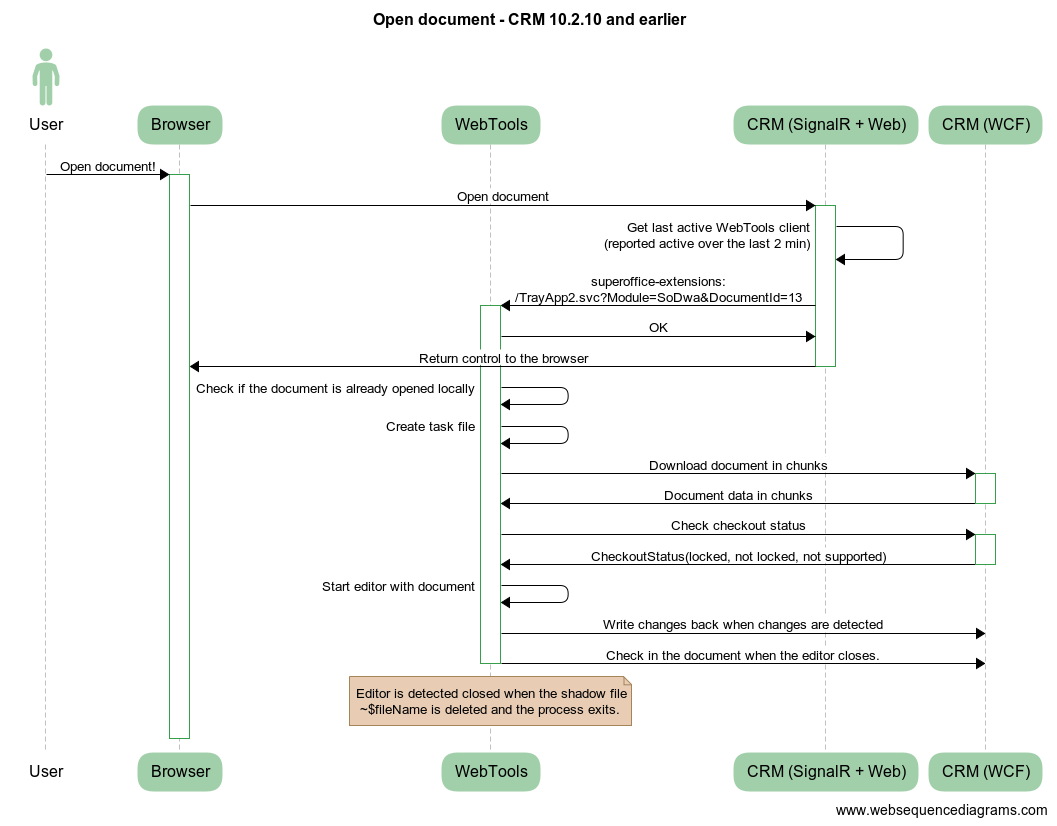
Document editing
SuperOffice 10.2.11 and later
SuperOffice 10.2.10 and earlier
Authentication
WebTools supports authenticating to 2 different layers to SuperOffice:- The first layer is authenticating towards the Web Server (IIS) using Negotiate (Windows Authentication), NTLM, Digest, or Basic.
- The second layer is authenticating towards the SuperOffice installation.
SuperOffice Download Service
After version 8.1, WebTools and MacLink are no longer bundled with the actual installation. Instead, they are outsourced to and the responsibility of the SuperOffice Download Service, which:- Hosts downloads like WebTools and MacLink
- Implements and applies rules concerning compatibility between WebTools/MacLink and Web
- Offers advice about WebTools and MacLink upgrades available to the Web users
Starting with SuperOffice 11.11, the WebTools for Windows download no longer includes MailLink. Customers on SuperOffice 11.10 and older will continue to receive the combined installer.