

Forms - pre-filled check box options
When you publish a form, you might want to pre-fill a check box, so the user of the form does not need to check it.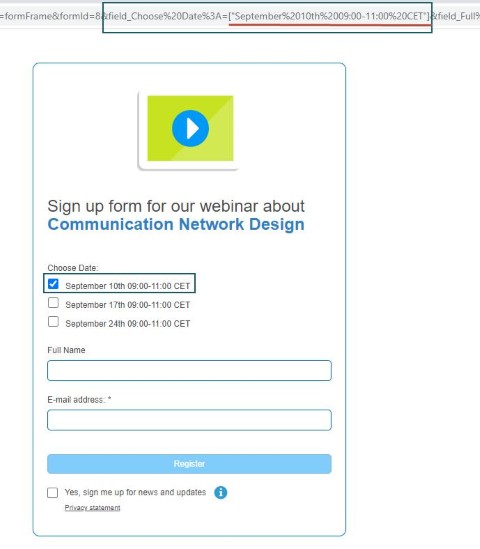 To do so:
- Select Show with pre-filled fields.
- Edit the URL: add the wanted checkbox text with [“xxx”] after the field name. (xxx = text of the checkbox)
-
Use that edited URL for the form. For example:
...&field_Choose%20Date%3A=["September%2010th%2009:00-11:00%20CET"]&...