

Marketing - Drag-and-drop editor for Mailings
Email, Form response, and Message templates: What a joy to work with the Drag-and-drop editor for mailings and form response.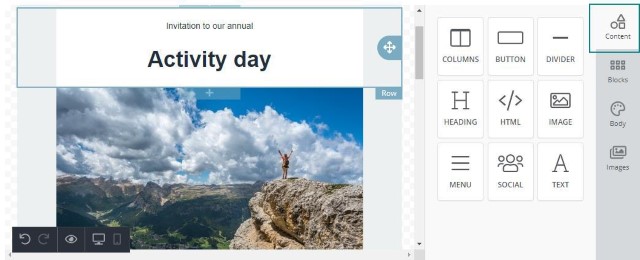 So easy to select the different Contents containing columns, button, divider, heading, HTML code, image, menu, social and pure text.
The real highlight is Images, where there is a huge image bank - of literally millions of royalty-free images - that are free for use. The images are all licensed under Creative Commons Zero.
So easy to select the different Contents containing columns, button, divider, heading, HTML code, image, menu, social and pure text.
The real highlight is Images, where there is a huge image bank - of literally millions of royalty-free images - that are free for use. The images are all licensed under Creative Commons Zero.
 Just pick a search word you want to use, scroll and select an image you like, and then simply drag it into the right section or row in your mailing.
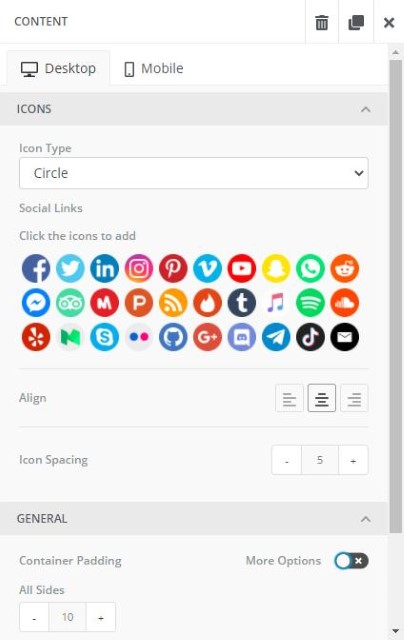
 You can also create your own Social media container, to use in all your mailings. Both easy to create and maintain.
 We also have about 50 message templates in the Online template library, where you can choose a setup you want to start with. Alternatively, start with an empty canvas and work from there.
Forms - Validation of phone numbers
When setting up a form where you use phone number fields, a validation step is built in. This means the field can only contain numbers.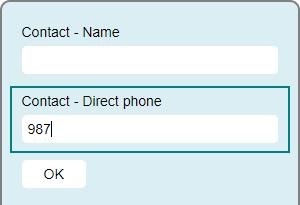 So, if you try to enter other characters, nothing will be entered.
This makes it easier to get valid data in and less corrupt data both in the form fields and in the creation of new companies and persons in SuperOffice CRM.
So, if you try to enter other characters, nothing will be entered.
This makes it easier to get valid data in and less corrupt data both in the form fields and in the creation of new companies and persons in SuperOffice CRM.
Forms - More company and contact fields available
When setting up a new form, you have several fields you can choose from.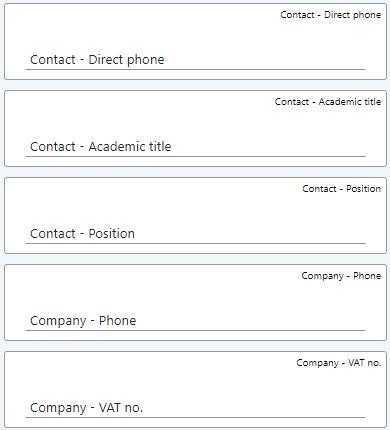 These are the new fields added to the list:
- Contact - Direct phone
- Contact - Academic title
- Contact - Position
- Company - Phone
- Company - VAT no.
Forms - Integer on Form elements
On the Form elements option you have several different types.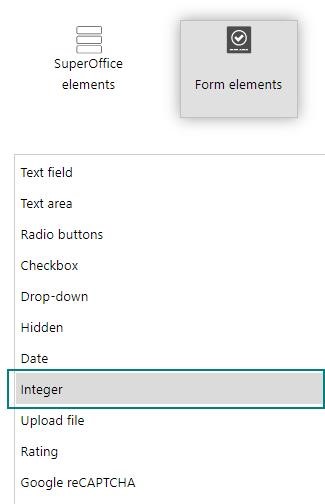 Integer is one of them and allows you to add a number field in your form to use for any number value you like.
Very useful when the form contains a field for an order number or invoicing number.
Integer is one of them and allows you to add a number field in your form to use for any number value you like.
Very useful when the form contains a field for an order number or invoicing number.