Mailing - Bounce management per mailing
When you work with one mailing, it’s very convenient to see the bounced emails. In the View screen on each mailing, you see the Manage bounces tab where you have some nice actions.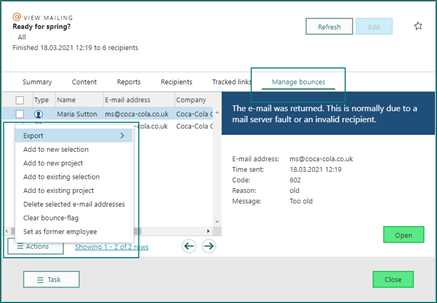 Like that, it’s easy to use the actions to clean up your bouncing email addresses, either by setting the contacts as former employees or deleting the email addresses.
Available columns:
Like that, it’s easy to use the actions to clean up your bouncing email addresses, either by setting the contacts as former employees or deleting the email addresses.
Available columns:
- Type
- Name
- E-mail address
- Company
- Bounce code
- Bounce reason
Bounce code and Bounce reason are visible only with Mailgun.
Forms - Form response mailing with the form info
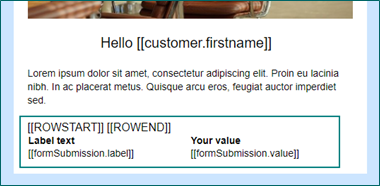
On a form, you can set up to send a form response after a person has submitted the form. The form response can contain the values the person chose/added to the form submitted. And that is nice, just to give them a “receipt” for their choices.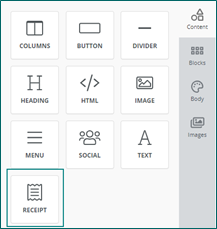 To add a receipt:
- Go to edit your form response mailing.
- Select Content type: Receipt.
- Add correct text for Field heading and Value heading.
- Optionally, change the settings for border and font.
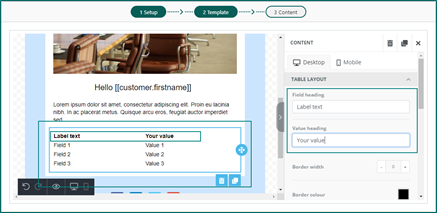 When the form response is sent out to the form submitter, all fields and values are shown in the table, easy to read and double-check for the receiver.