

Chat - Add lunch to the opening hours
Setting up a chat channel, it’s very valuable to add the opening hours if your company does not have 24/7 opening hours.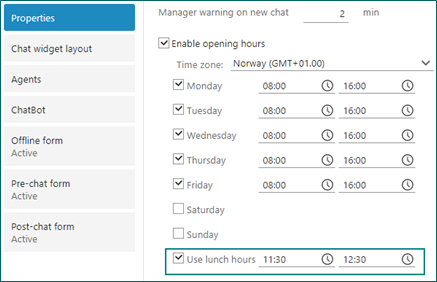 If you also have set lunch hours, you can also add the time. With this option set, your customers get info about why they won’t get instant reply/help on the chat at that exact time.
Chat - Offline and Pre-chat form with country and consent fields
When creating the chat widget, you select some fields to show on the Offline form and the Pre-chat form. This is mainly to make it easier to contact the users after they have added all required data.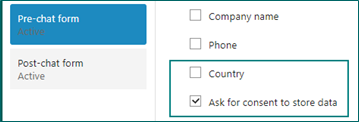
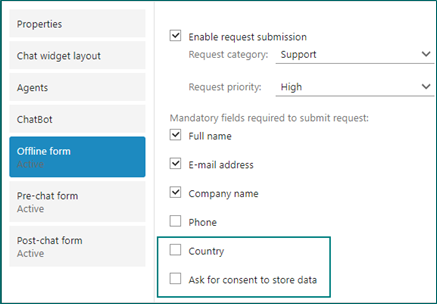 Especially with GDPR, we need to make sure we have everything in place and are good to go, before we contact our customers.
Chat - Support time zone in chat
When chatting with users in different time zones, users might be a little confused if they see a time different from their own.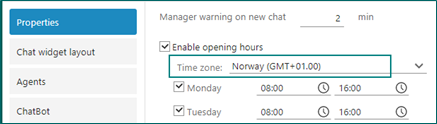 Instead of using local server time in timestamps, it will be translated to the correct time zone according to the client browser. This ensures that timestamps displayed to customers are in their local time.
Chat - Show agent’s name with their nickname or first name
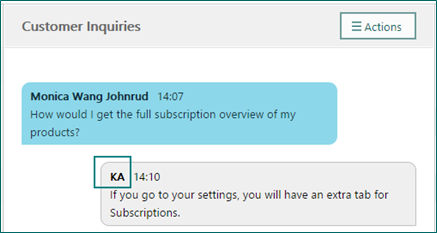
When setting up the chat widget, you may choose to show the agent’s first name instead of their nickname. The nickname is usually the same as the UserId but can be changed. This is to prevent showing the full name of the agent and possible misuse of that.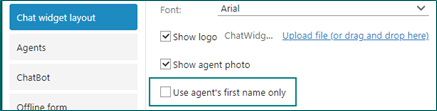
- Off = Nickname
- On = First name
Chat - Showing the chat channel in the overview
For the agents working with the Chat screen, it’s often valuable to see the name of the channel the chat came from.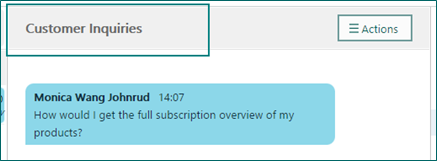 Knowing the chat channel, the agent knows more about what type of questions the customer will ask, and give better answers to them.