

NetServer Core vs web services
This section shows how to query an archive provider both using the core NetServer API, as well as the NetServer Web Services API. There are subtle differences between core and web services APIs, but for the most part, they are the same. One of the biggest differences is how value types are returned (integers, Double, and DateTime). Both examples represent a query that selects all sales where the sale project ID is set to 47.- NetServer Core
- NetServer Web Services
NetServer Core
Example
The following example demonstrates how aPersonProvider is used to query data from the database.
- Retrieve the list of columns that can be handled by this archive provider through the
GetAvailableColumnsmethod. - Retrieve the Entities that are supported by this archive provider via the
GetAvailableEntitiesmethod. GetAvailableColumns()andGetAvailableEntitiesreturn data lists of typeArchiveColumnInfoandArchiveEntityInforespectively.
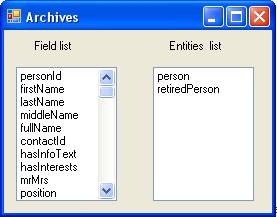
ColumnInfo and EntityInfo from the PersonProvider and displayed them in 2 list-boxes.
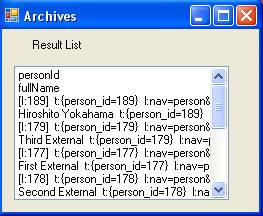
 Finally, we have retrieved the set of rows satisfying the above query and displayed them in another Listbox.
NetServer REST WebApi
Using theSale endpoint and issue an OData query (see documentation):