

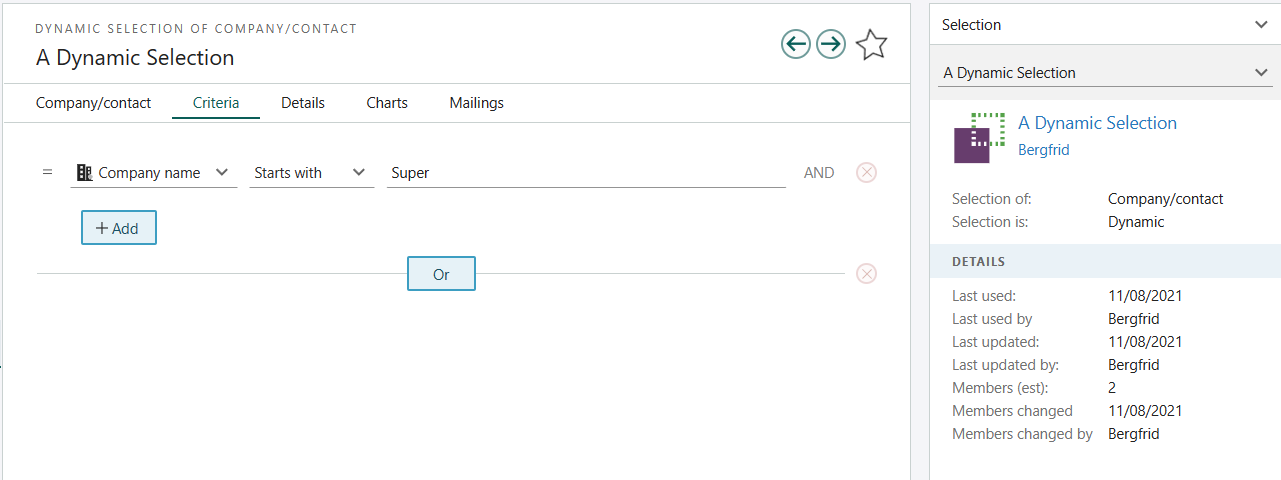
 The corresponding Selection table row looks like this:
The selType = 1 (dynamic)
searchCriteria table:
This criterion contains one criteria group (the group concept is there to support more complex searches using AND/OR operators and so on - nothing is implemented yet though).
The group contains one or more search criterion records: each criterion corresponds to a field.
The contact.name field (1281) is stored in the
criterionI. The extraId is used when referencing the SAINT counters.
Which of the fields you need to fill in depends on the field used in the
criterionId. Contact.Name is a string value, so the stringValue field in the criterionValue should be filled out.
Find dialog
The search criteria tables are also used when defining extra fields in the Find dialog. This is where the active flag is used. Un-checking a search field in the find dialog corresponds to settingactive=0.