

Architecture
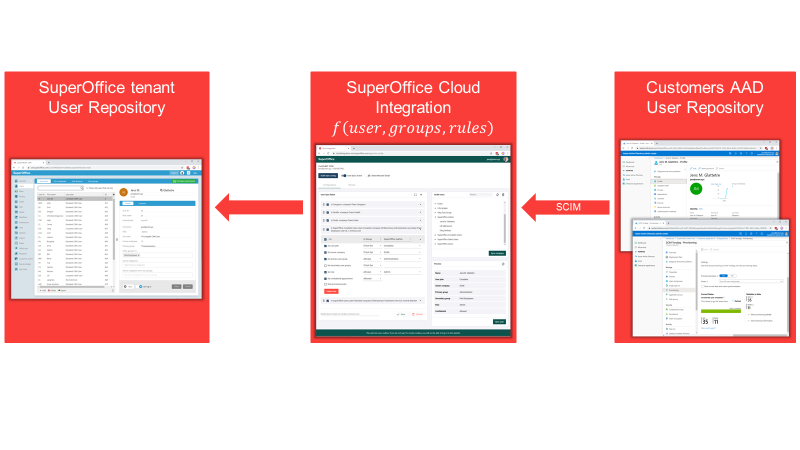
User interface
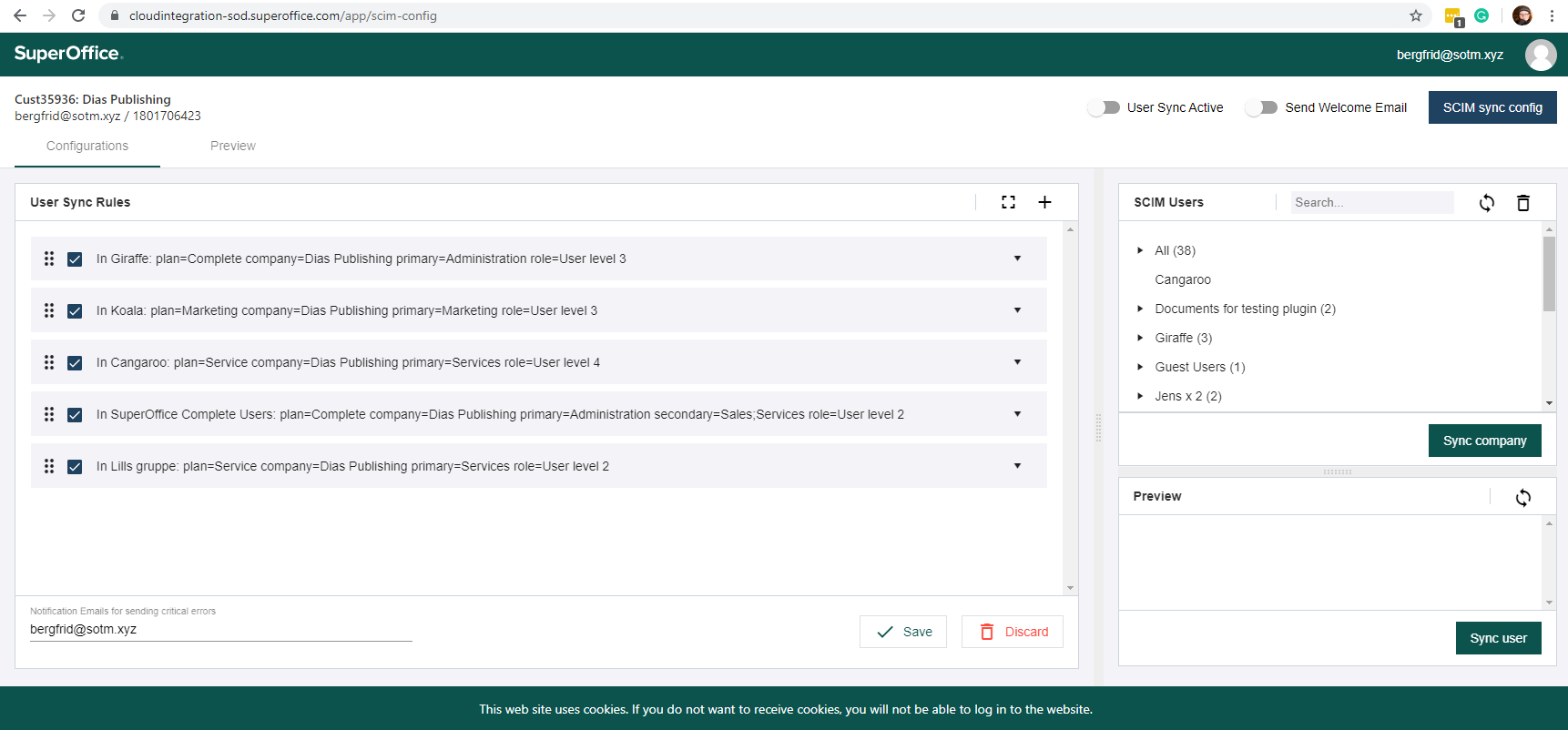
The Identity Manager is a clean, web-based user interface for SCIM identity management. It has 2 tabs: configurations and preview.Configurations tab
- User Sync Rules pane - the rules wizard
- SCIM users pane - a list of users that can be synchronized
- Preview pane - details for the currently selected user
Preview tab
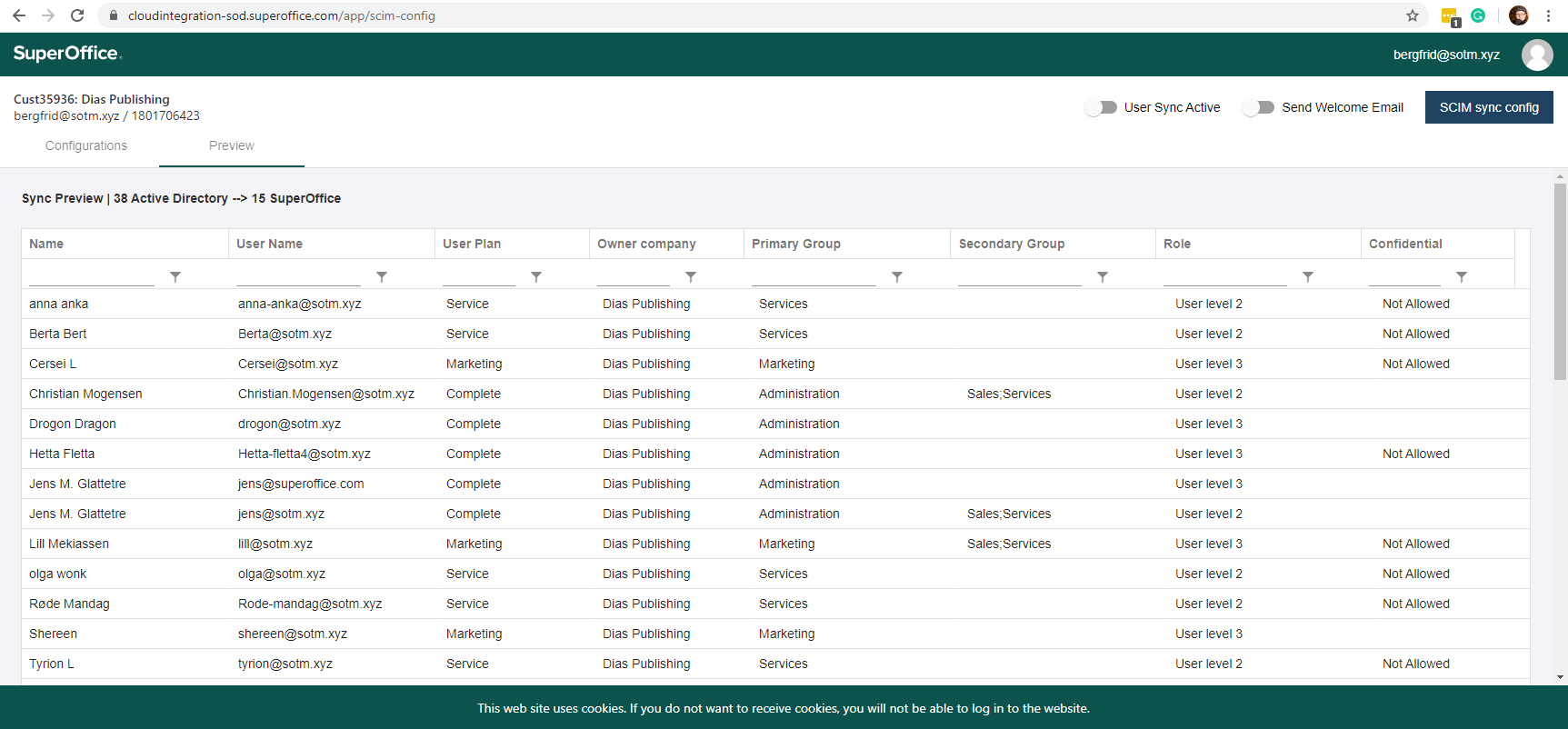
- Number of available Microsoft Entra users
- Number of users synchronized to SuperOffice
- Name and username of each Microsoft Entra user and the access control-related settings that will be applied to each of them given the current ruleset
Other settings
- User Sync Active (on/off)
- Send Welcome Email (on/off)
- Notifications Email for critical errors (email address)
Pre-requisites
To access the Identity Manager, you will need:- Tenant configured with SuperID - register to get a developer account in SOD
- A SuperOffice admin account for that tenant linked to a Microsoft Entra account (Microsoft Entra admin not required)