

Video meeting straight from the appointment
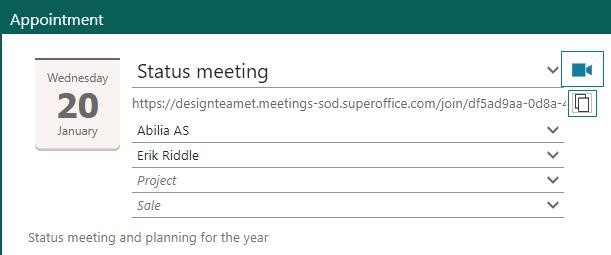
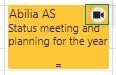
You can click the Video meeting button in an Appointment dialog and instantly create a URL for where to hold your video meeting. This URL is sent in the invitation to internal and external participants, so it’s easy for everyone to meet in the correct place.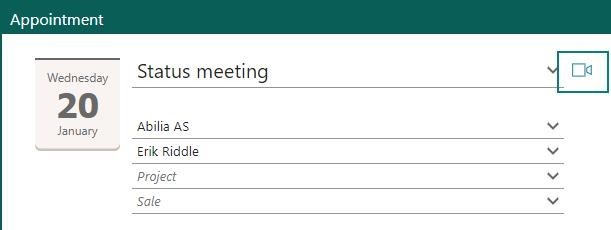 The diary will also show an icon in the appointment, to highlight that this is a video meeting.
 You must set up which video system your company is using. This is done in Settings and maintenance by admin.
We support the following video conferencing providers:
You must set up which video system your company is using. This is done in Settings and maintenance by admin.
We support the following video conferencing providers:
- Zoom
- Microsoft Teams
- Google Meet
- Cisco Webex
- Jitsi Meet (free to use, no subscription needed)
Preference - turn off the creation of tentative appointments
When invitations from externals are processed by the Inbox or the MailLink, the default setting is set to create tentative bookings for all participants included in the invitation that is stored in SuperOffice CRM.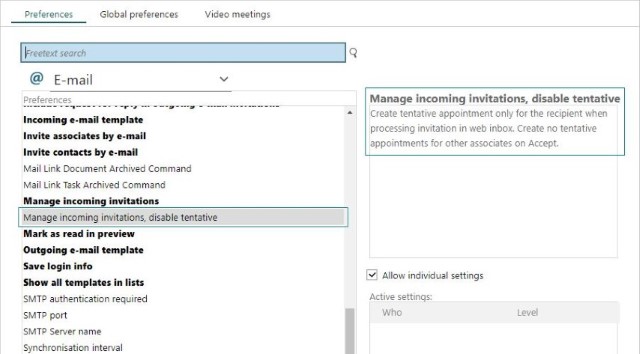 An option, Manage incoming invitations, disable tentative, in Preferences allows the system owner to disable the creation of tentative bookings for all other associates so that an appointment is only created for the owner of the Inbox. With this preference on, only the associates with a working Inbox or MailLink will get the booking in their diary.