

-
Open the Windows Run dialog and enter
mmc.exe.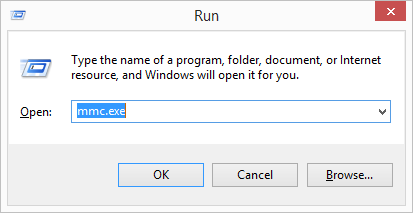
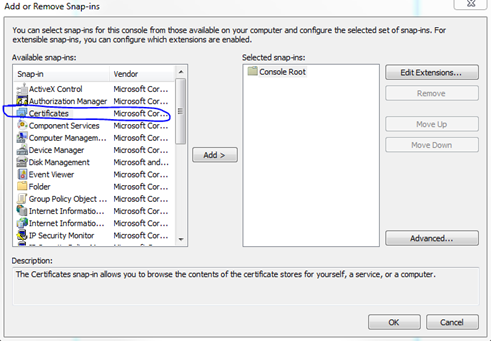
- Click File and select Add/Remove Snap-in.
-
Select Certificates and click Add.
-
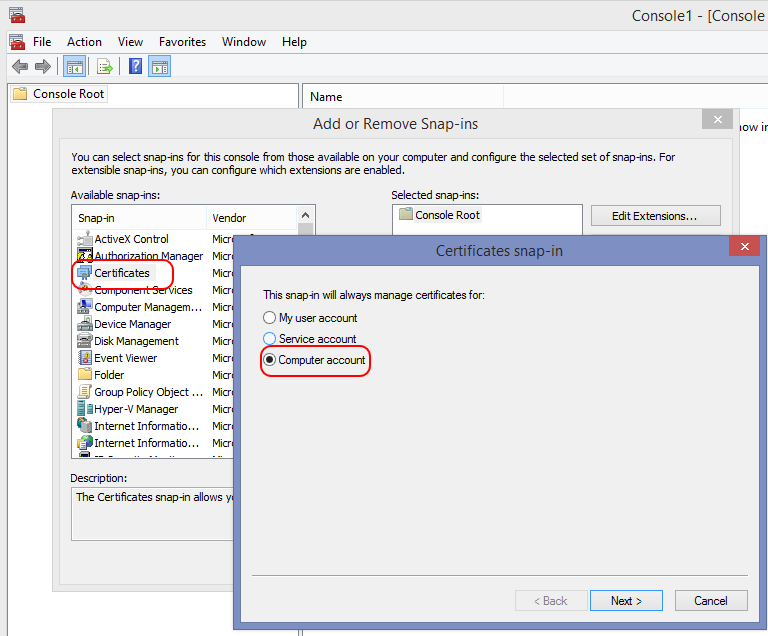
Select Computer account and click Next.
-
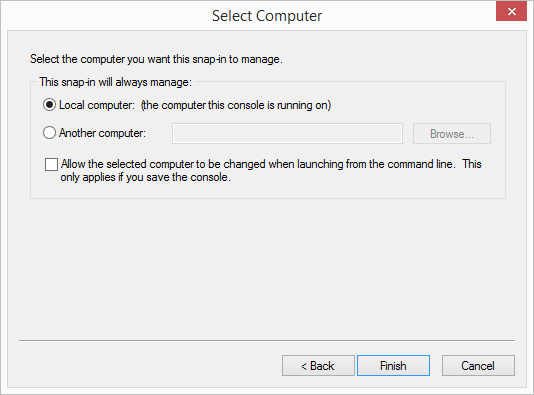
Select Local computer and click Finish.
-
You should now see the following dialog with Certificates (Local Computer) on the right pane.
Click OK to finish the task.
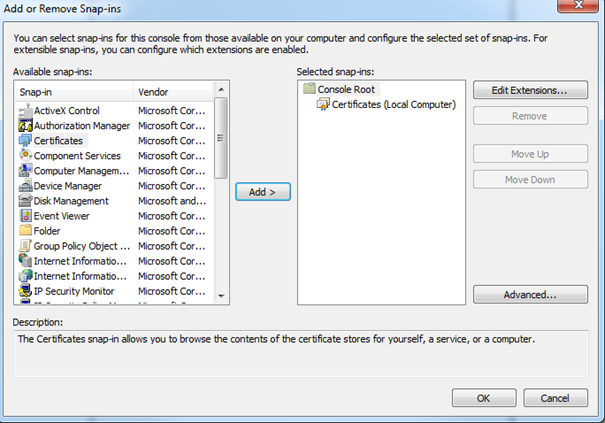
How to install the Certificate snap-in on Windows
How to install the Certificate snap-in on Windows
The Certificate snap-in is a useful tool when configuring certificates.