

At a glance
The API Performance tab shows API-level application performance for one specific application.-
In the Developer Portal, go to your app page.
To see the list of all apps:
- Select Apps from the top menu to see all apps across every partner you have access to, or
- Go to the Applications section of your partner page to see that partner’s apps.
- Select API metrics, then select API Performance tab.
- Select a time range interval (minutes, hours, or days).
- Click through the environment specific buttons.
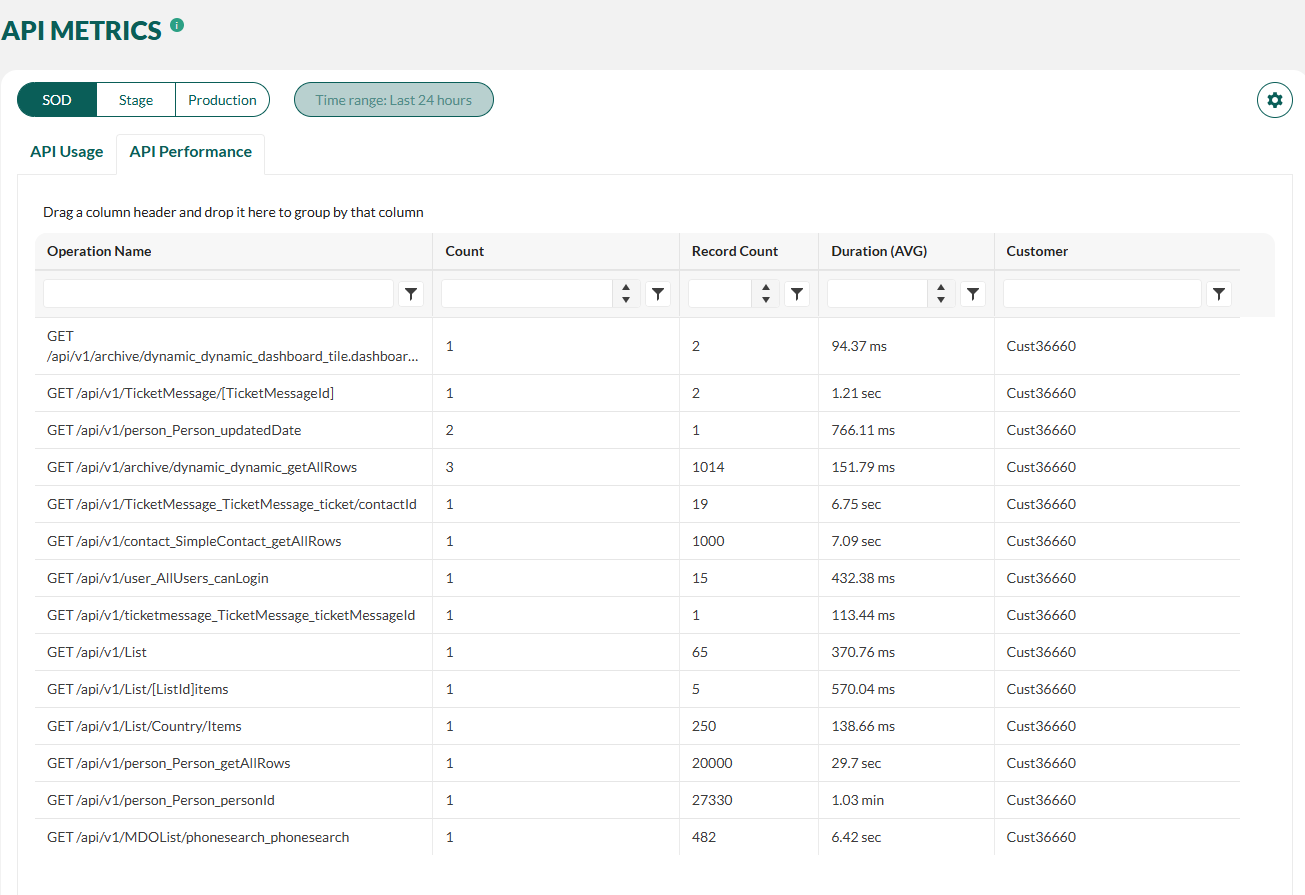
Columns
When there are many rows, you can filter the list by typing in the search box. The list will update as you type.
Filter by sample
-
To see the request details, select one of the samples from the samples list.
Use the sort option drop-down menu above the list to sort the samples according to timestamp, database rows, or duration.
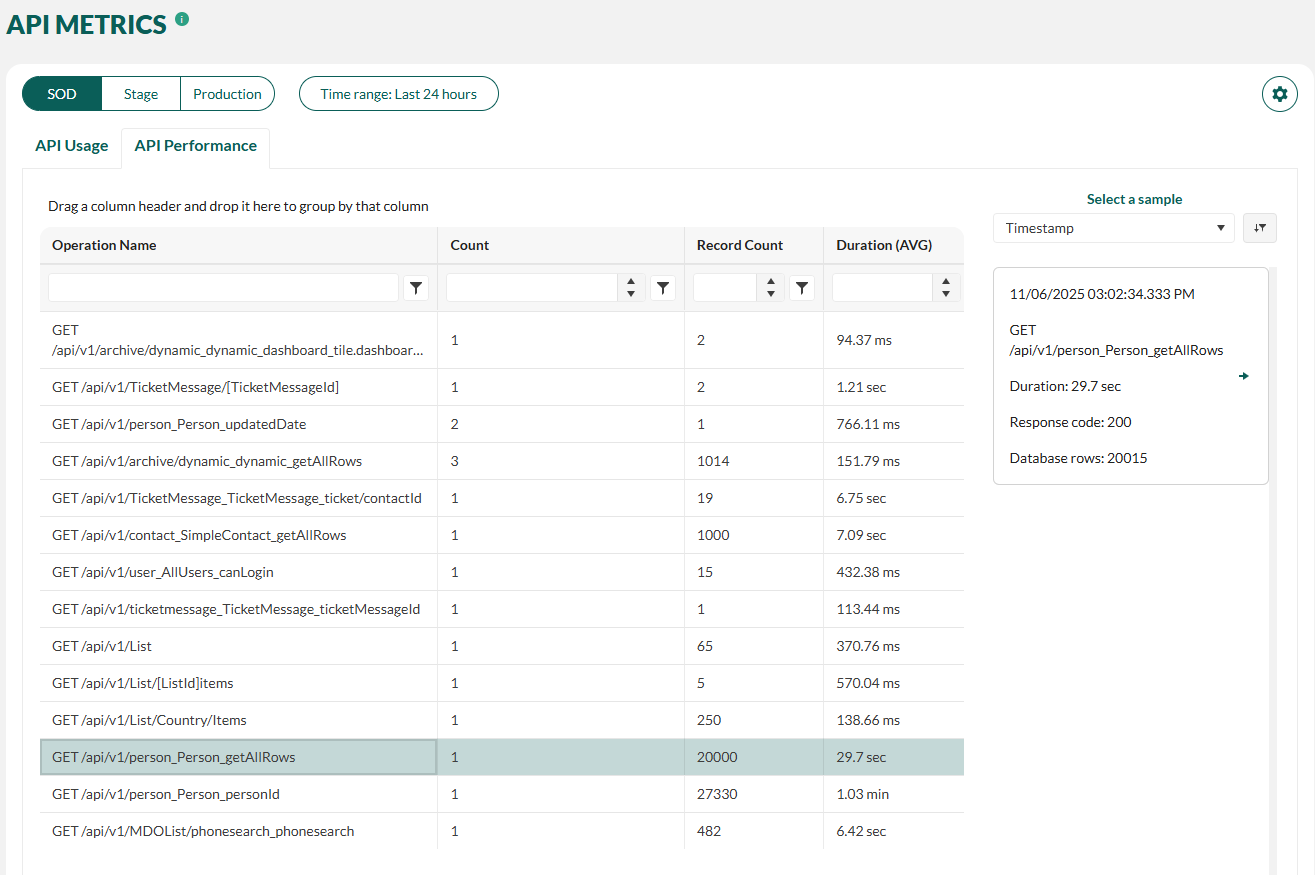 Observe the sample details:
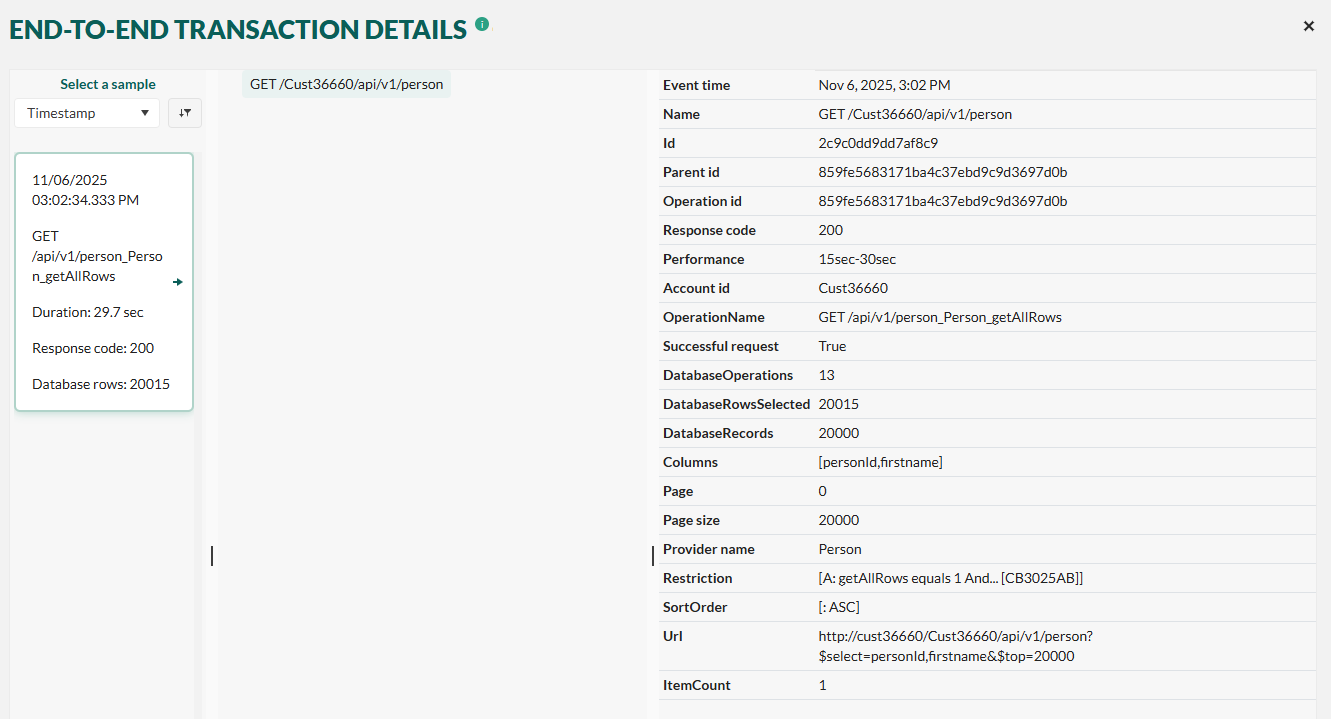 The left side samples column contains each invocation for the endpoint. The center column contains the endpoint and the column on the right contains the invocation details.
 - To return to the API Performance list, click the X in the upper-right corner.
Disable API request sampling
Starting from SuperOffice version 10.5.1, API request sampling was introduced to reduce the volume of logged data and improve performance monitoring. By default, only a subset of API requests is recorded. However, sampling can be temporarily disabled if you need full visibility into all API traffic. This is especially useful when:- You’re troubleshooting specific performance issues.
- You need to verify the exact timing and frequency of API calls.
- You’re analyzing detailed request patterns for optimization.
-
Click the settings icon (cogwheel) to edit setting.
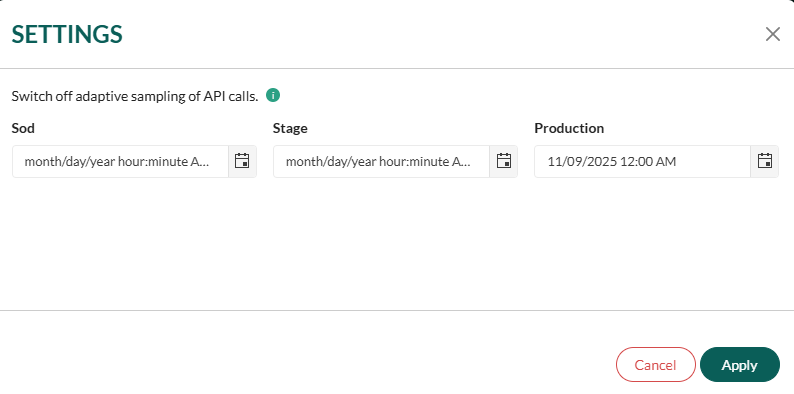
- Set the end time for the period during which sampling should be disabled for a specific app.
- During this period, every API request will be logged and visible in, you will see itemCount = 1.
Disabling sampling may increase the volume of logged data, so it’s recommended to use this feature only when necessary and for limited timeframes.
Improve app performance
Leverage our best practices for online app development to both boost your application’s performance and reduce its API usage. Both caching and search have a huge impact. Additional columns from SuperOffice version 10.5.1
During development, following the statistics in SOD day-by-day can provide valuable insight into the impact of your improvements.