

Only a tenant user with administrator rights is allowed to approve online applications, both for standard and custom application types. Specifically, an administrator is someone with General Administrator or User Administrator function right.
For custom applications
The SuperOffice App Manager grants explicit consent to approved custom applications during activation.For standard applications in the App Store
The tenant administrative user must sign in to SuperID and approve the application to establish an authorization record between the application and the tenant. If this option is unavailable to you, a strict hand-shake flow must be implemented.Tenant approval sequence (hand-shake)
No one may ask for a customer’s username and password to gain access to the tenant’s resources. Everyone must adhere to the following authorization sequence.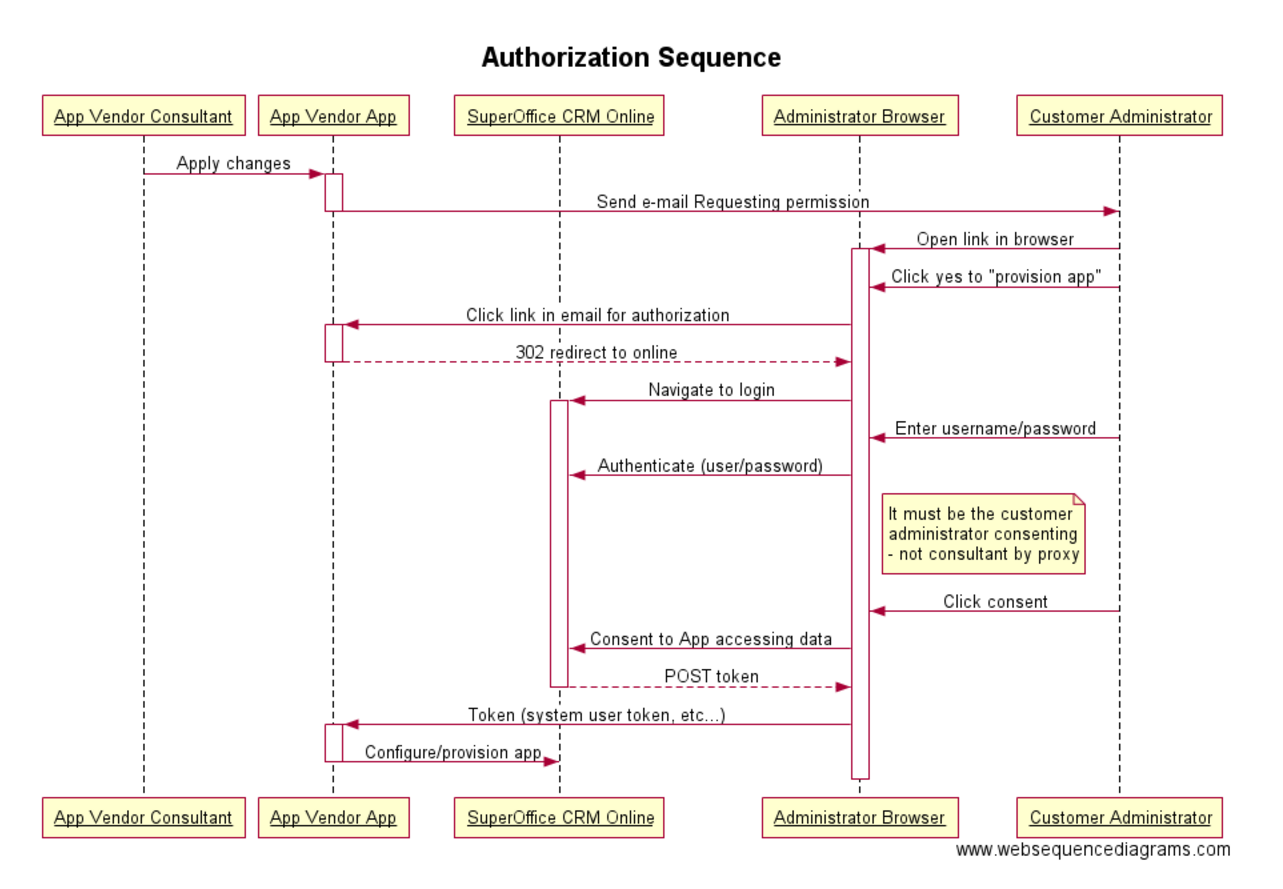
Post-approval
The user who approved the application appears in the App Store with the date the application was added.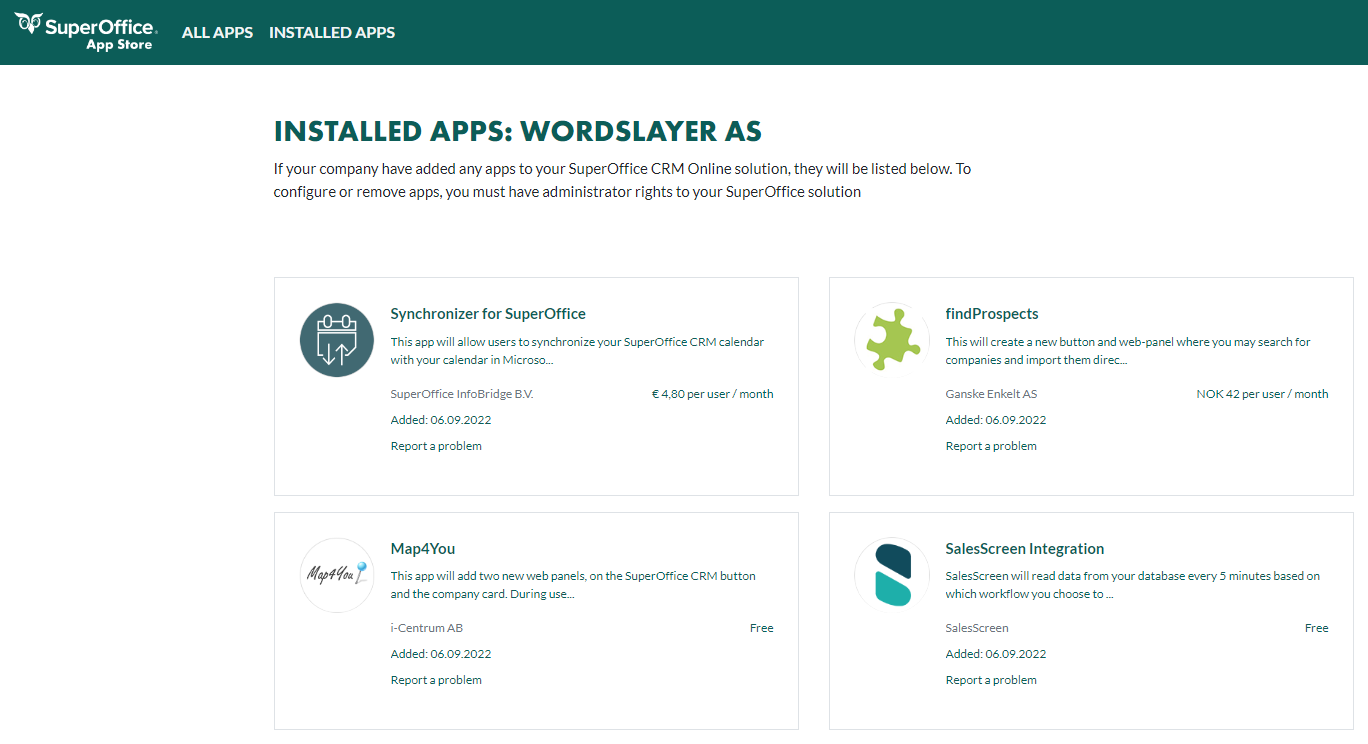
A customer’s administrator may authorize the application by clicking a link that includes your client ID. This will show the consent dialog for the application and as an administrator, they may click I approve.
Is consent a one-time action?
No. The application must be approved in each environment. Some changes will require the customer’s administrator to re-approve the application before it gets access to the database after the change. Re-approval is mandatory when:- your application initially runs in the application user context and you want to run as the system user
- you want to add Webhooks to an existing application
- you want to add database mirroring to an existing application
from: sentry prevents a user from seeing what they should see to: full access to everything in a customer database