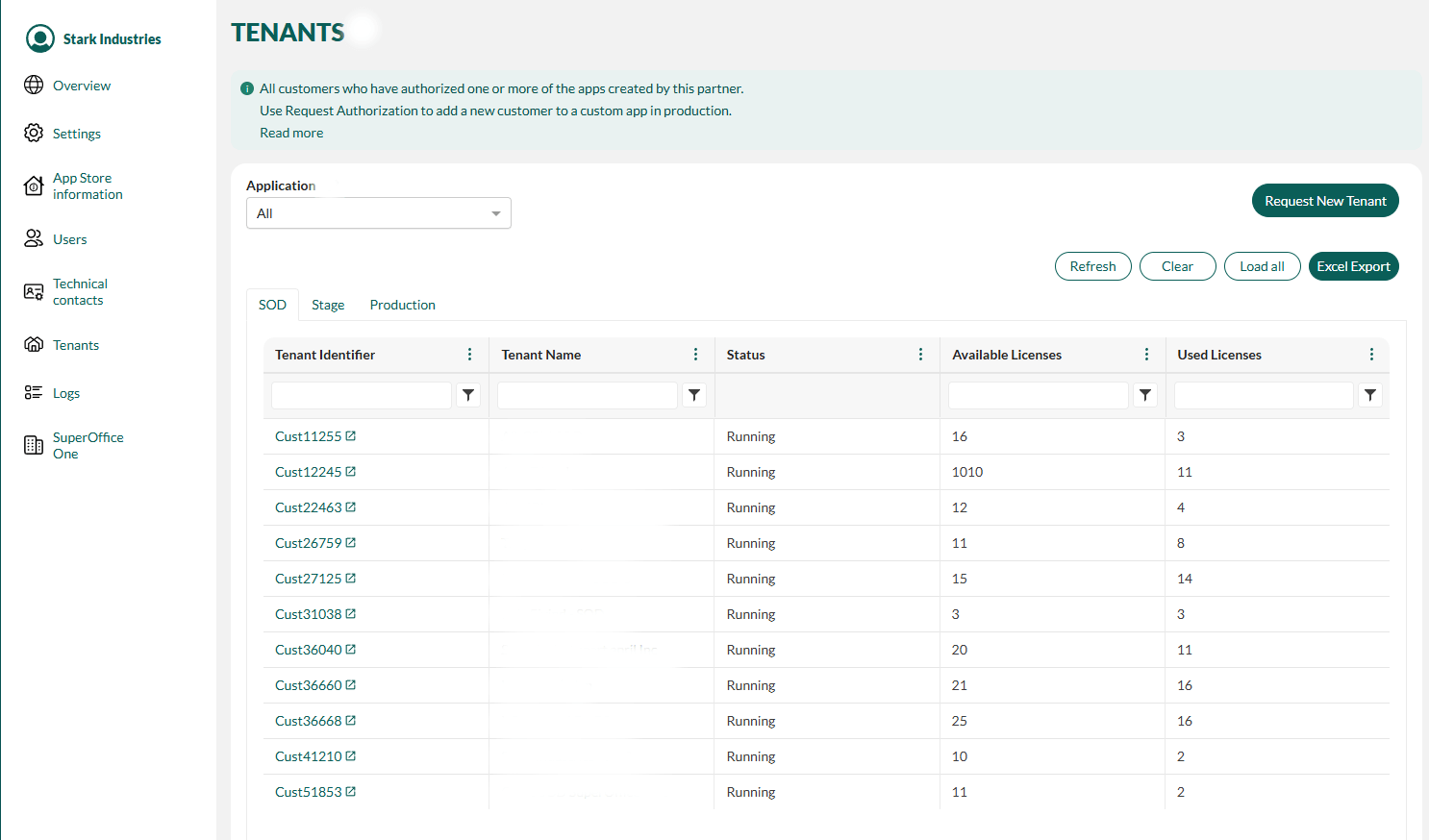
The starting point for all these look-ups is the Tenant listing page.
Use the search boxes to quickly locate a specific tenant by ID or name. The list loads more tenants as you scroll. You can also click the Load all button to display all tenants at once.
The Excel Export button on the tenant list page allows you to download the tenants currently shown in the list. If you filter the list by application or by one or more columns, the export will contain only the filtered results.
The state of a tenant (running, stopped) indicates if it’s available to receive requests from an API and whether users can log in.
Locate the tenant in the list on the Tenant listing page.
Observe the value in the Status column.
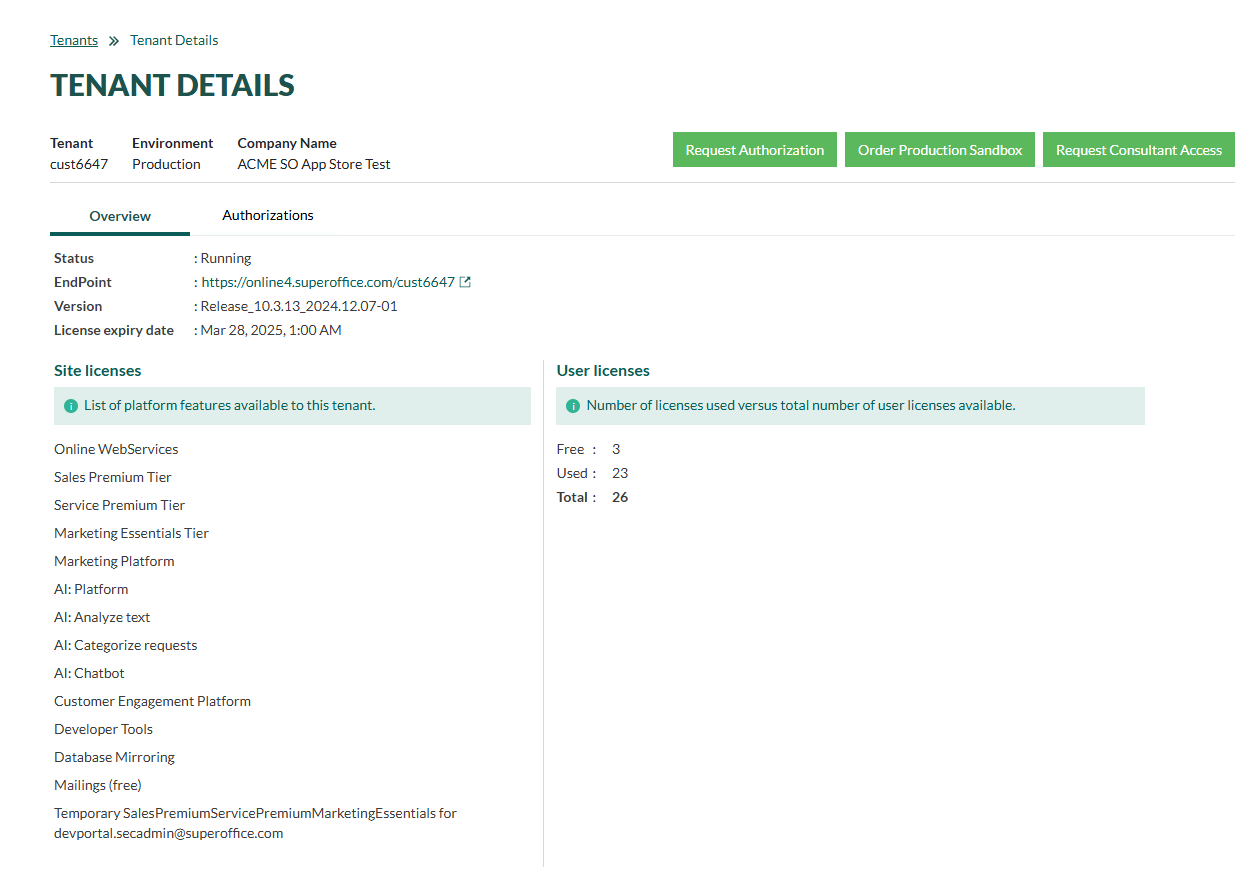
To check which endpoint the tenant is currently using (root path of customer installation) and see which SuperOffice version it’is running, click the tenant to open the Tenant details page and select the Overview tab.


 The Excel Export button on the tenant list page allows you to download the tenants currently shown in the list. If you filter the list by application or by one or more columns, the export will contain only the filtered results.