

-
Unzip the u-03_sikring_av_windows_tls.zip file. Then inside the unpacked directory, unzip the second zip file Schannel.zip and enter the unpacked directory again. Holding shift and right-clicking will give us a menu where we can open a command window in the current directory.
The following must be done with administrator-level access.
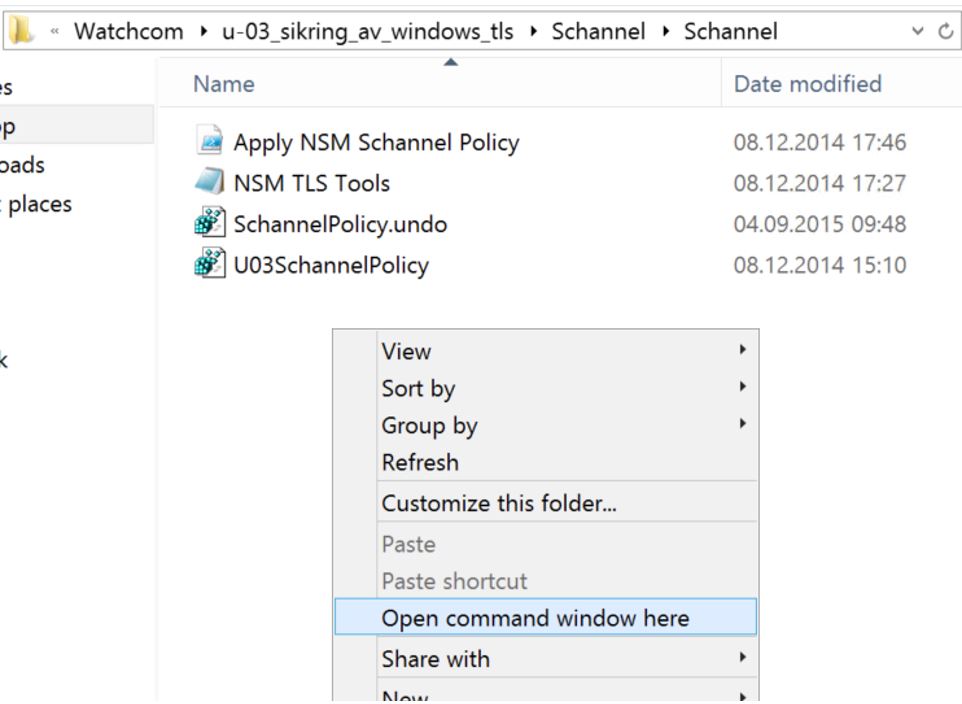
-
Get a Powershell prompt by typing powershell. Then import the NSM Powershell module by entering the following commands:
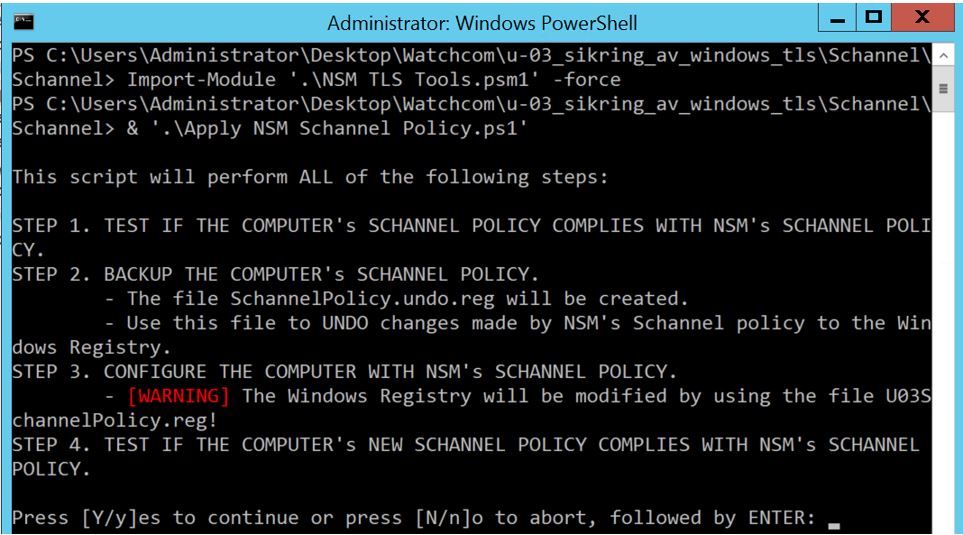
- Follow the instructions and the script will check for compliance with recommended settings, backup existing settings to a registry file, change the settings to comply, and run a final test.
Securing HTTPS configuration on Windows Server
Securing HTTPS configuration on Windows Server
To apply the best practice HTTPS configuration on a Windows server, we can run a Powershell script written by NSM (Nasjonal Sikkerhetsmyndighet). This script will make changes to the Windows registry to enable the latest encryption algorithms and disable old and insecure algorithms and ciphers.