


- Run the SuperOffice SM.win SetupExe.exe installer to upgrade the server and the database.
- Run SuperOffice.CustomerService.exe to upgrade Service software.
- Run the SuperOffice Web client Setup.exe to install the SuperOffice Sales web client on the existing Service domain.
-
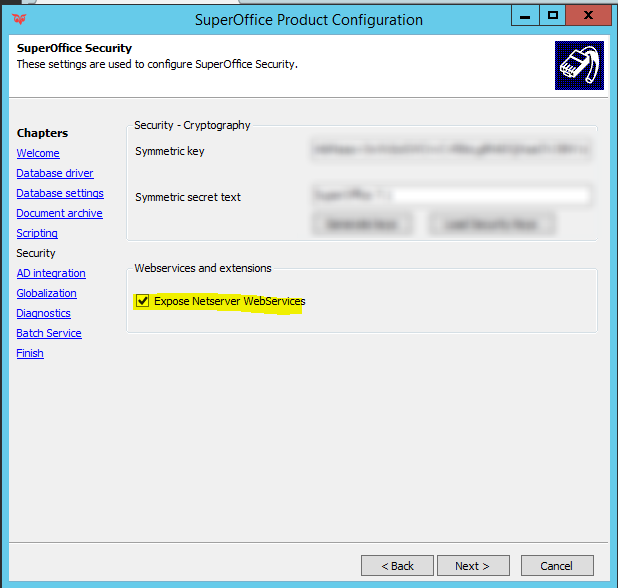
Run the SuperOffice Product Configuration to connect to the database upgraded in step 1. If you choose to not run separate NetServer web services, make sure you tick the option to expose NetServer web services.
- Start Web client to verify it runs correctly. Go to Settings and Maintenance and set the new preference System - Base URL for Web client.
-
Edit config file found in the Service root folder and point
nsEndPointto the new Web client services URL. - Run Upgrade.exe (as administrator) located in Service programfolder\bin. The upgrade.exe will among other things also update the config file found in the Service program folder with the new Services endpoint, Services84.