

Mailing - Add video in content of the mailing
Sometimes, you want to show a video in the mailing and not just send a link.- Go to the mailing.
-
Add VIDEO from the Content section.
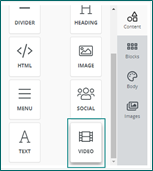
-
Add a YouTube or Vimeo URL to automatically generate a preview image. The image will link to the provided URL.
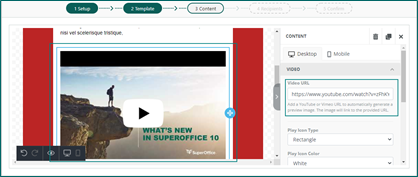
- Play icon type
- Play icon color
- Play icon size
- Container padding (top, bottom, left, right)
- Responsive design with Hide on Desktop/Mobile (on/off)
The only video URLs supported are from YouTube or Vimeo.