

Screen designer - add Macro as a button in CRM
Some users might find it efficient to have a Create Appointment button on a main card. And if you want to run a specific script when you create a new appointment from the Company card, that is very efficient.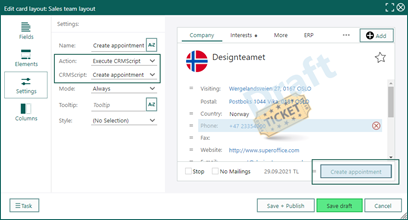
- Create a new button on the Company card.
- Set the button up with a CRMScript to run whatever you like.
Options - Add customer languages from Settings and maintenance
To set up the different customer languages for your Service setup, it’s easy to do so in Settings and maintenance on the Options overview.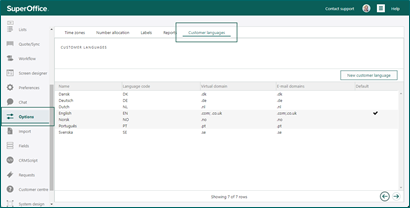 These languages are used in the Customer Centre, the FAQ module, and reply templates.