Sale - Sales target types
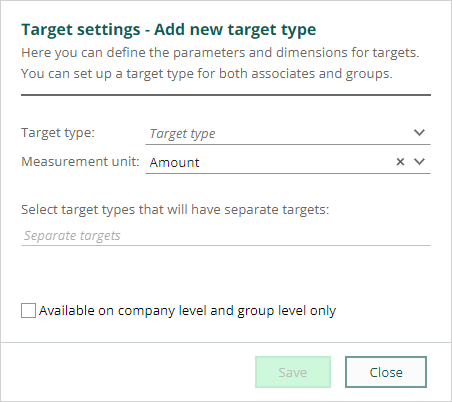
To define the parameters and dimensions you need to set up a target type, first. You can set up a target type for both users and groups, as well as set other target parameters: Target type, Measurement unit, Separate targets. You can also define if it only should be available on the company and group level (and not on the user level). Target types (parameters)- All sales
- Sale type
- Sale source
- Sale credited
- Sale competitor
- Company category
- Company business
- Company country
 Read about Sales target types.
Activities - Filter for all types
I’s easy to filter on the different activity types in your Activities section-tabs. Just select the ones you are looking for and save time looking in your archive.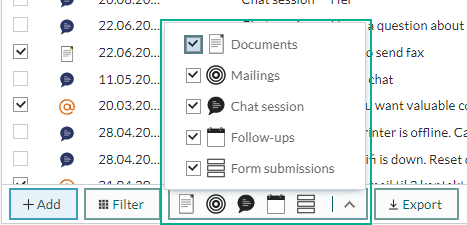
Dashboard - Duration on Follow-up tiles
When you select a follow-up tiles, you can choose Duration as the Measure option. With that option you can get the dashboard to show more info about the duration and have better measurement and target on this.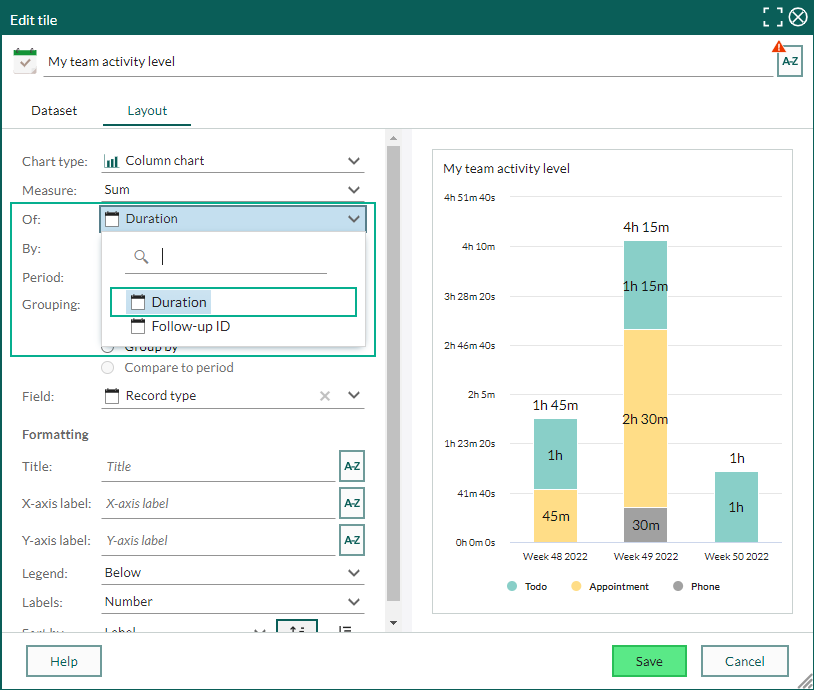
Find and selection - None of the interests criteria
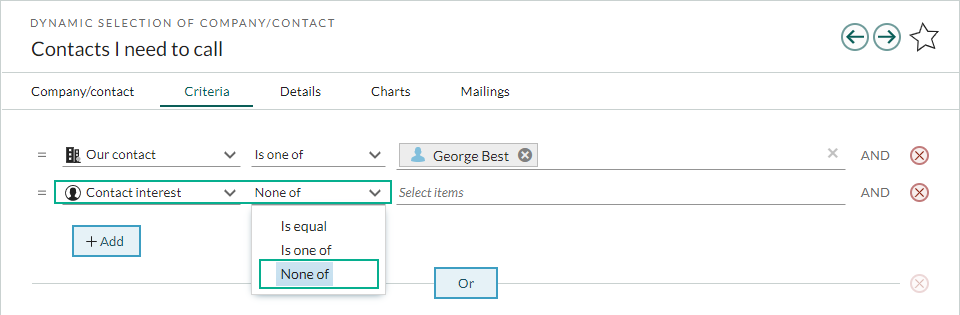
When you are searching for interests, sometimes you really would like to search for those who do NOT have this and that interests. Simply select None of in the criteria operator when you add Contact interest or Company interest, and select the ones you do not want to search for.