

-
Set up a web service listening for state changes. For example:
https://www.awesomeapp.com/NotifyCustomerStateChange - In the Developer Portal, go to your app page.
- Select Configuration.
-
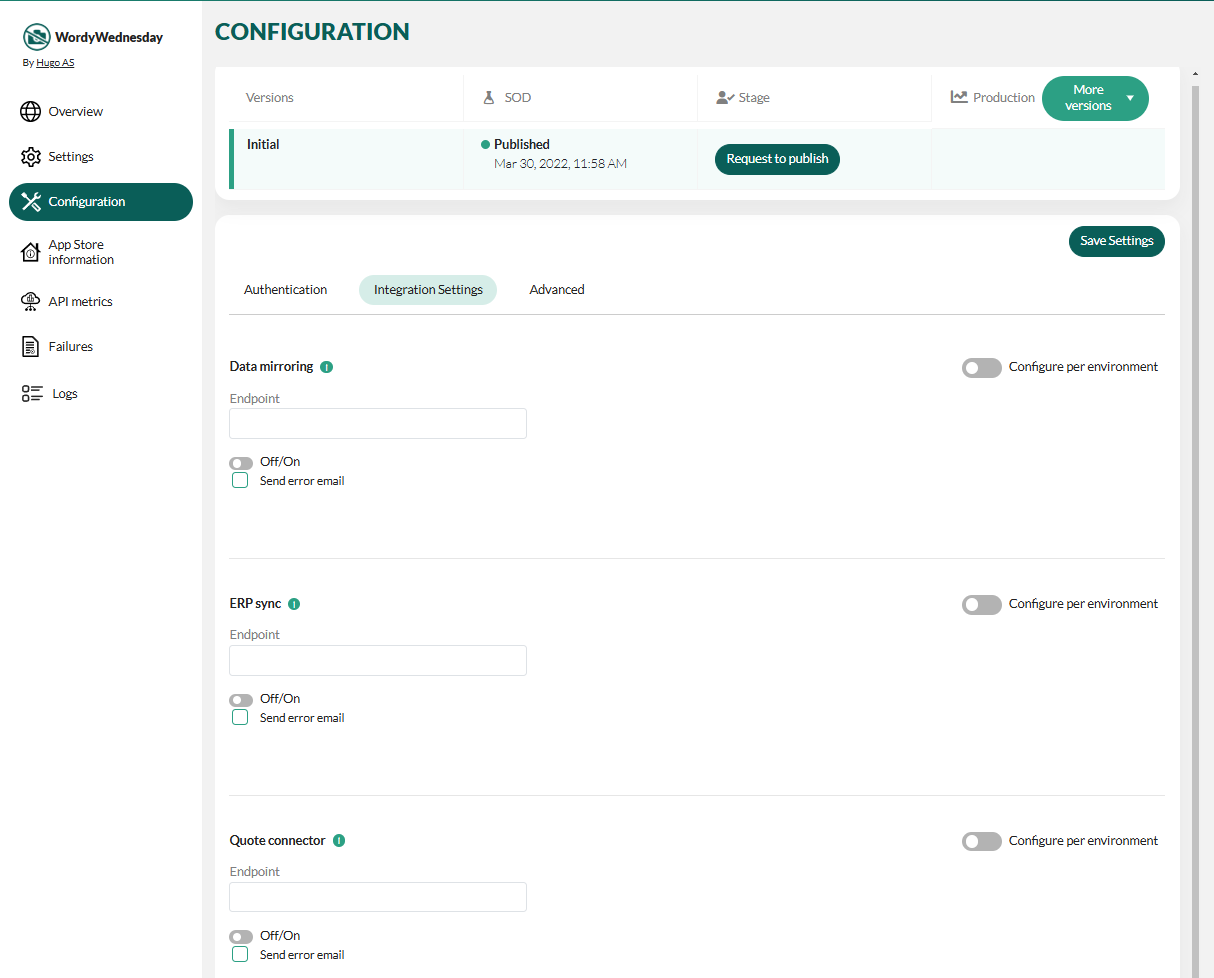
Select Integration settings.
-
Scroll down to the Customer state change section and enter the URL of your endpoint that SuperOffice should push notifications to when a tenant changes status.
https://www.awesomeapp.com/NotifyCustomerStateChangeOptionally, turn on Configure per Environment to set different URLs for SOD, Stage, and Production.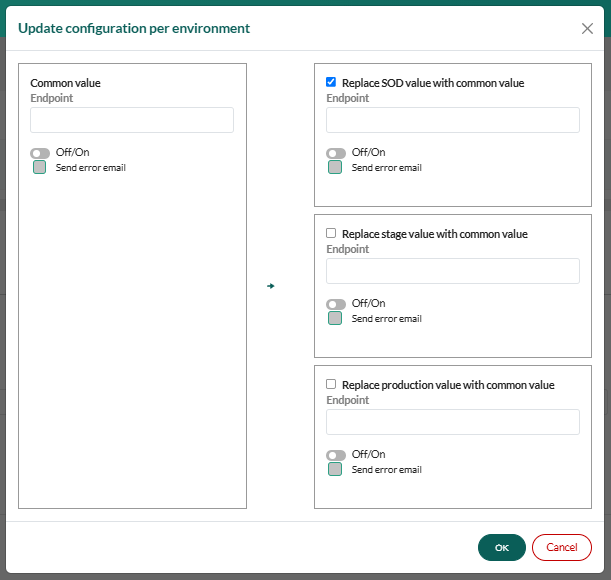
- Select Off/On to activate the endpoint (turn on data traffic).
- Click Save Settings or OK.
- Request to publish the new configuration.
Parse notifications
The application must take advantage of these notifications to ensure their environments are kept up-to-date with the status of SuperOffice CRM Online tenants. While there are several ways to process tenant status changes notification, the following is a short example of what that might look like using .NET and C#.Payload
The JSON payload contains the following information:- Tenant context identifier
- The change type
- A text representation of the installation version
- The version of the file set
- A JWT to verify it was sent by SuperOffice
- The current public endpoint
CustomerStateChangeNotificationType enumeration
CS
NotificationMessage
CS
API Controller and JWT validation
CS