

Watch the walk-through
ERP sync, quote, and mirroring
For each endpoint you have configured SuperOffice to send data to, you can also subscribe to error emails. To turn off/on error emails to the technical contact for an endpoint, update the integration settings configuration of the application. To receive error emails at different or more than one email addresses, update the application settings:- On the app page, select Settings from the left menu or click the Edit button.
- Scroll to Error reporting emails.
- Enter one or more email addresses, then press Enter after each one to add them to the list.
- Click Save Settings.
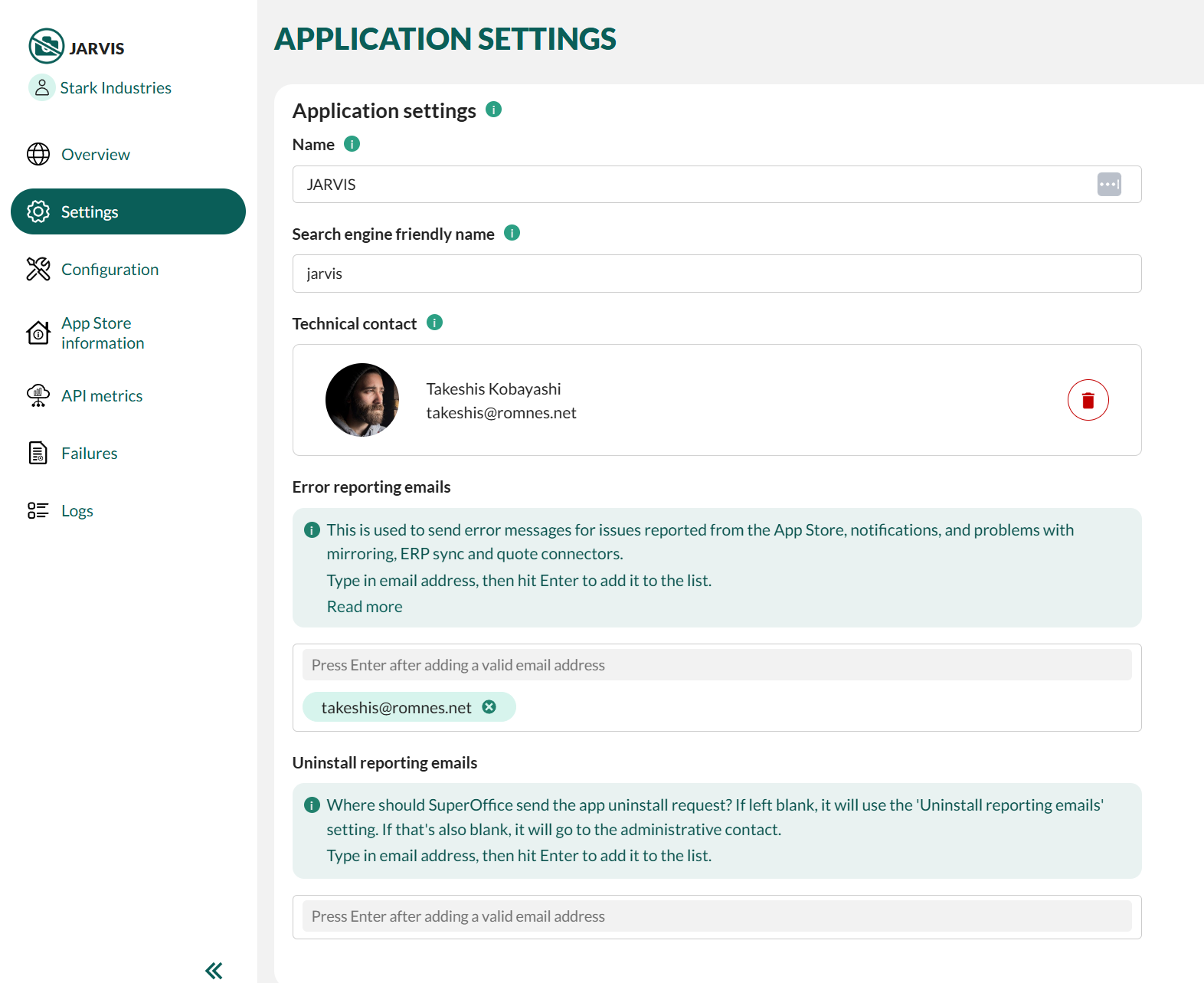
You can update the email addresses in the application settings at any time. Technical contact will receive any notification mail if this field is blank.
Uninstall reporting emails
To receive notifications when an app uninstall request is submitted, update the Uninstall reporting emails field in the application settings.- On the app page, select Settings from the left menu or click the Edit button.
- Scroll to Uninstall reporting emails.
- Enter one or more email addresses, then press Enter after each one to add them to the list.
- Click Save Settings.
If app’s list is blank, uninstall notifications will be sent to the partner’s Uninstall reporting emails list.If both lists are blank, uninstall notifications will be sent to the partner’s administrative contact.