Join from Diary
- Open the follow-up.
- Tap the Join video meeting button at the top OR the link in the Video link section.
- Mobile CRM automatically selects the most suitable option based on your device:
- If a video app is installed, it opens automatically.
- If not, the meeting opens in your browser.
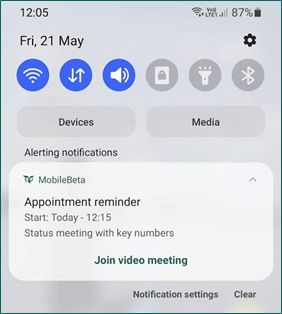
Join from notification
If you have configured notifications for meetings, a pop-up alert will appear when the meeting is about to start.- Simply tap Join video meeting in the notification to join instantly.