- Web Application: web.config
- For SuperOffice versions less than 10 that support the feature Windows Application: SuperOffice.config and SOUSER.INI
If you have used feature toggles before and want to enable a new feature, simply add a new key to your existing configuration.
- Open the web.config file for your web installation.
-
Define a new section group named FeatureToggles inside the
SuperOfficegroup. Locate the parent element:Add this (if it’s not already defined): -
Add (or update) the FeatureToggles section:
Locate the SuperOffice element:
Add this:Replace the key with the features you want to toggle (see list below).
- Save the file. The application pool will be recycled to get the new settings. Now you can use the new features in the Web client.
Previous feature toggles
Available from version = Version that support the FeatureToggle.
Released in version = Version that have the feature automatic on, and does not support the FeatureToggle
*1 = The NewServiceRequest feature toggle is dependent on the NewTimezoneHandling feature toggle
*2 = The ConfigurableSale and ConfigurableProject feature toggle is dependent on the SCILHostedArchives feature toggle
*3 = The NSTicketType feature toggle is dependent on the NewServiceRequest feature toggle, and requires Service Premium and Development Tools
*4 = v3 features are added to the V2 tag
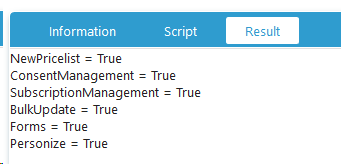
Look up enabled features
You can use the value from thefeature_toggle field of the config table to determine if a feature is enabled. It contains a delimited string of all the enabled feature toggles.
- Use comma ’,’ as the delimiter between the feature toggles
- Use colon ’:’ as the delimiter between the feature toggle name, and if it’s enabled or not