

- The user does it self-service
- The admin user does it for the user
Self-service: remove your own video-meetings configuration
- In a browser, go to https://meetings.superoffice.com/meet/DisconnectUser.
-
Click Confirm.
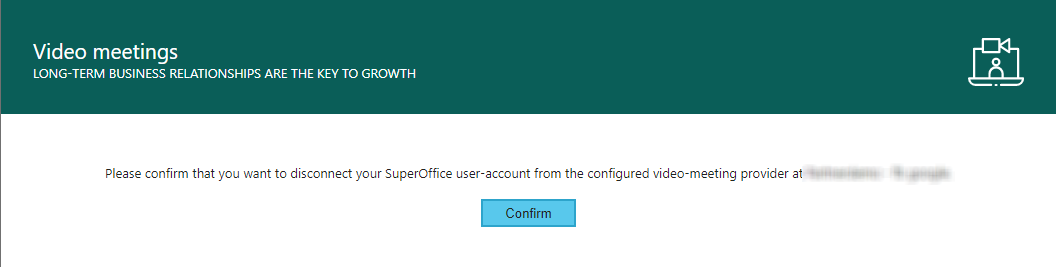
If you disconnected due to problems with authentication, you have to re-authenticate. Simply create a meeting in your CRM diary and click the video icon. You will then be asked to authenticate.
Admin: remove the video-meetings configuration for specific users
How to use this functionality:-
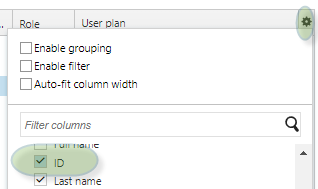
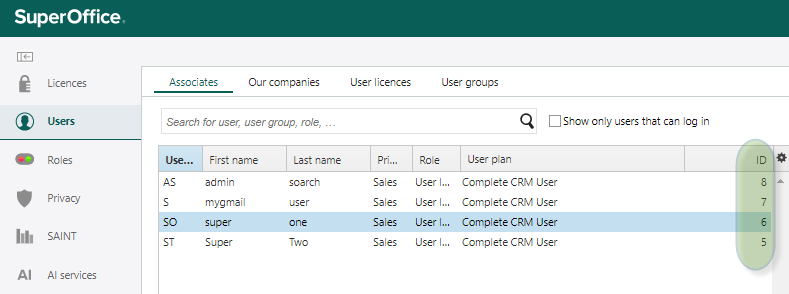
Open Users section from SuperOffice Settings and maintenance, and add column ID if not already there.
-
Find and note the ID (associate ID) for the users that you want to remove the Video meetings configuration for.
- Open the Video Meetings configuration from SuperOffice Settings and maintenance and click Configure.
- Open Manage Users from the Configuration page.
- In the list of associates, you can remove their configuration.