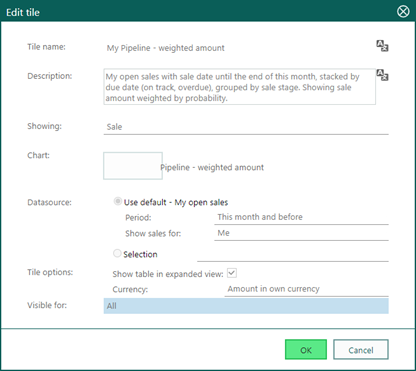
If you are happy with a specific tile in a dashboard, and you want to reuse most of the settings, you can select the button Duplicate tile on the tile and make the changes you like.Like that you can reuse the settings of a tile. Change the dataset to show the same type of data for example for another group, or use a different group the tile layout.
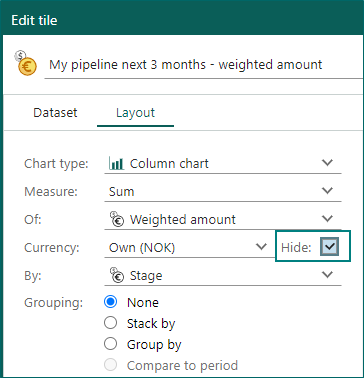
On some tiles, the currency takes up a lot of space. When you do not want to show the currency inside the tile, simply select Hide for the currency setting when editing the tile.
Dashboards - Tiles for web panel and HTML text and images
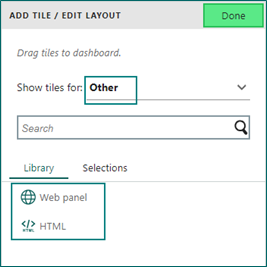
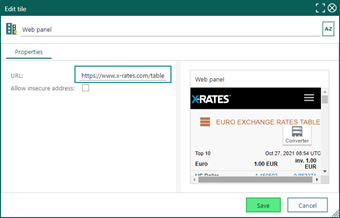
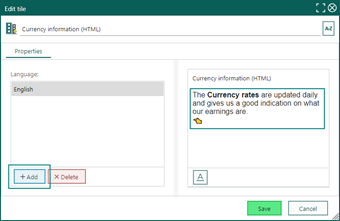
You can add a web panel or HTML as a tile to your dashboard. That opens up a lot of possibilities, both to style it and to show information not just inside SuperOffice CRM.
You can add text in all our languages, like an explanation to the dashboard or a tile. You have the same formatting option for text as you have for Chats and Forms.


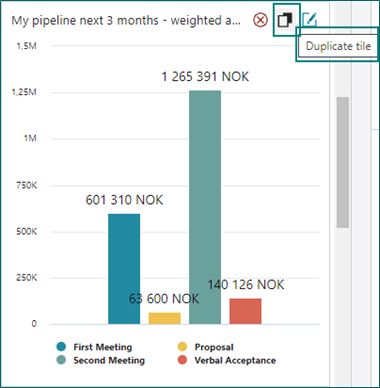 Like that you can reuse the settings of a tile. Change the dataset to show the same type of data for example for another group, or use a different group the tile layout.
 Read more about Dashboards.