

Steps to register a new company
- Go to Companies.
- Tap + and select New Company.
-
Enter the name of the business.
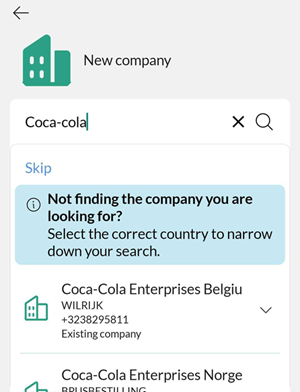
Mobile CRM suggests matches from companies already in SuperOffice, or from external sources.
- Existing companies show a company icon and are listed first.
- New companies have no icon and are listed last. Expand to see more details.
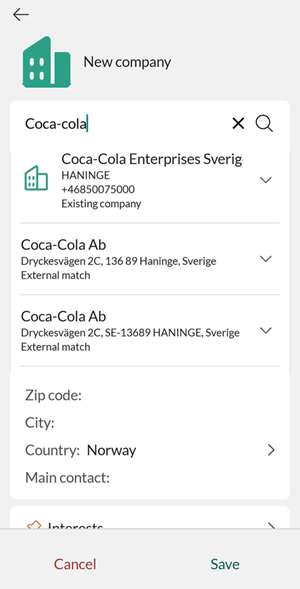 Tap a suggestion to use it, or tap Skip to enter the company manually.
- Add other details as necessary. For example, phone number, and email address. To add a logo, tap the placeholder icon. Then tap +, select Add image from camera or Add image from gallery from the menu. Use the remove background icon () to clean up the image if needed, then follow the instructions. If lead categories are set up with a lead status, the Lead status field appears for the company too.
- Tap Save.