

Tabs in the main Companies screen
Tap a company to open and examine it.
Company header
- Image. Usually the company logo or a placeholder.
- Company name
- Department (if set; otherwise, city)
- Our contact
- Edit () and Task () buttons
- Action bar: Call, Web (open website), Map (show location)
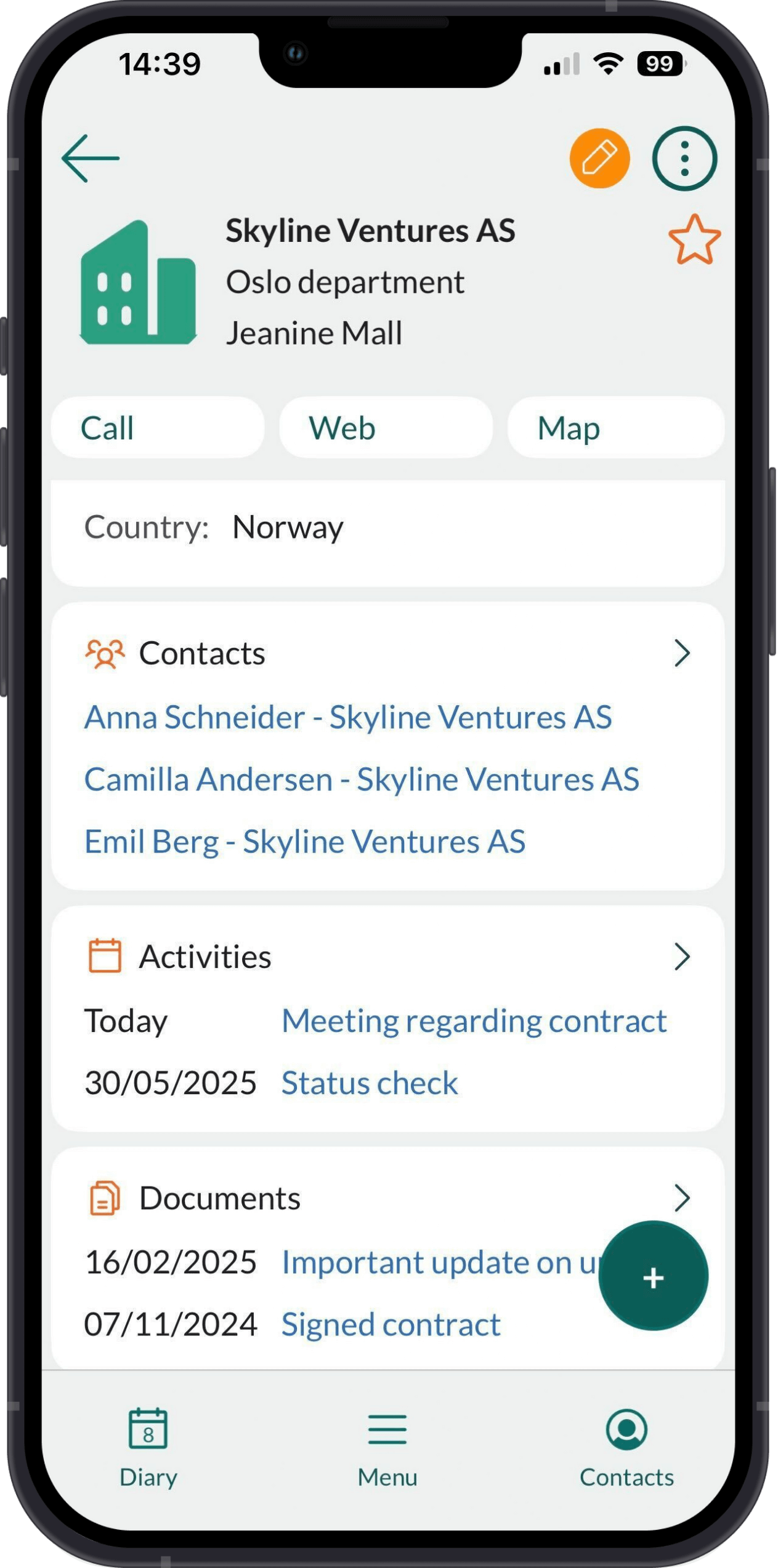
Sections
Tips
- Tap a linked item, such as a person, an activity or a sale, to open and examine it.
- In the Contacts list, each contact shows a person-type icon: green for you, blue for a colleague, grey for an external contact.
- Each section shows only a few items. Tap to expand and view the full list.
- Expand the Details section and tap the cogwheel () to configure visible fields.
Show former employees
When viewing a company:- Go to the Contacts section and tap to expand it.
- Tap the Filter icon () and select Show former employees. These persons are now shown in red in the list.