- Pocket client >= 9.0.4
- NetServer >= 8.5.7066 (8.5 R01)
How to enable Json compression on web servers
-
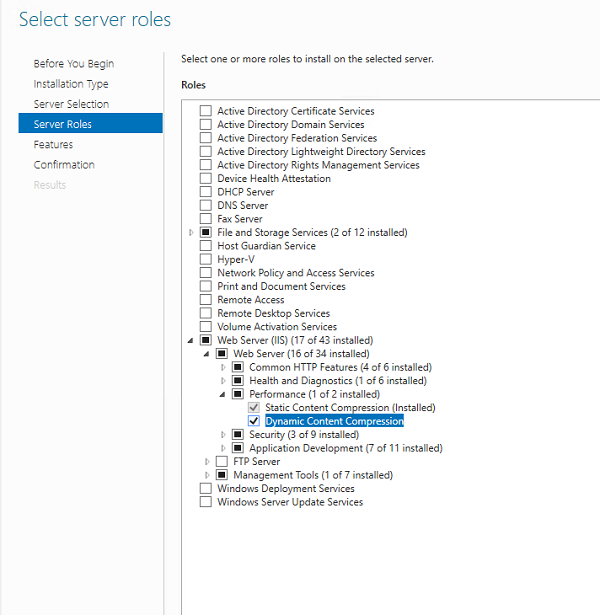
Add/install required server role in Server Manager console.
-
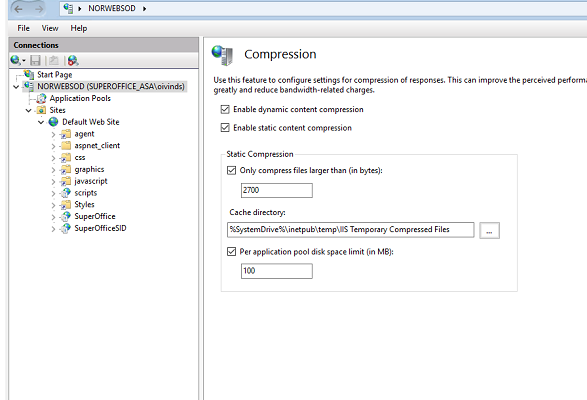
Enable dynamic content compression in IIS on server-level.
- In IIS Manager click on the server name and choose Compression from the IIS section.
-
Configure compression for content type JSON.
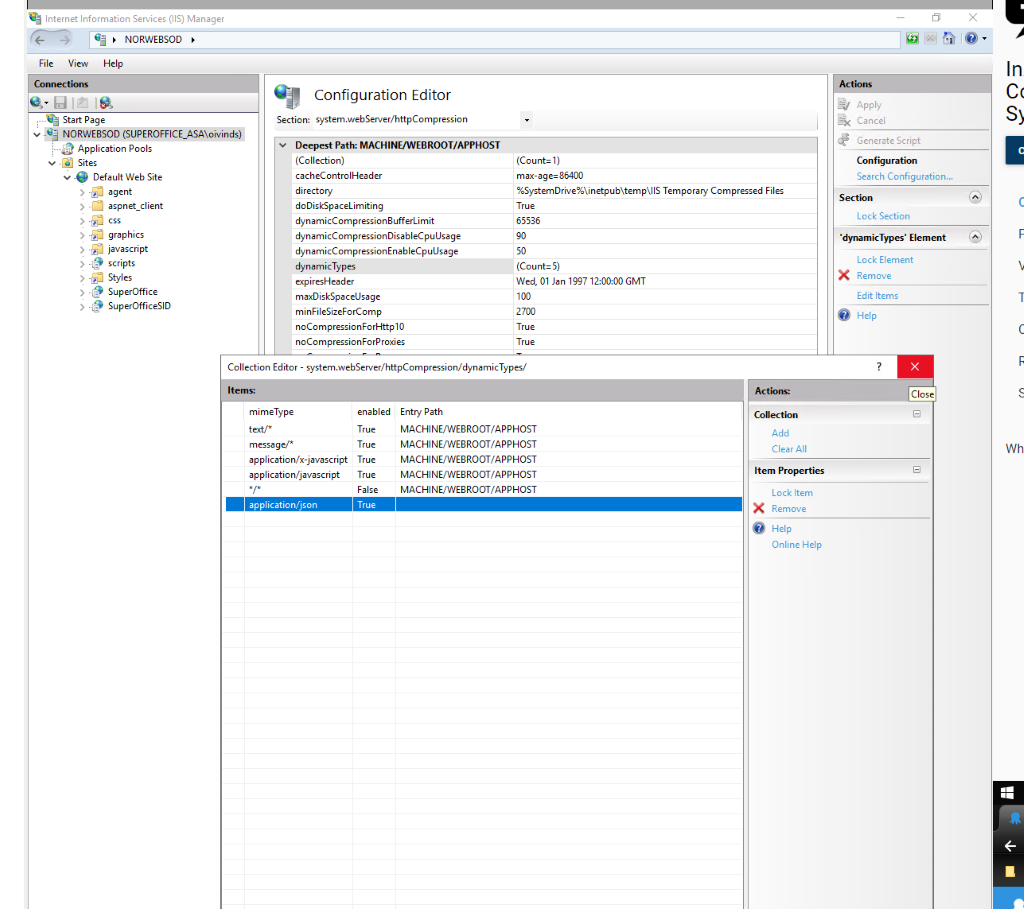
- In IIS Manager, click on the server name and choose Configuration Editor from the Management section. From the drop-down list on the top of the page, select system.webServer and under that httpCompression.
- Find the dynamicTypes option and click Edit item from the Actions menu on the right side.
- In the new dialog, click Add in the Actions menu, set Enabled to True and to the mimeType enter
application/json.