-
Open the Server.PROPERTIES file in the Pocket server configuration. The default location for this file is:
C:\Program Files (x86)\SuperOffice Pocket CRM\Tomcat 6.0\webapps\pocketcrm\WEB-INF\classes\server.properties -
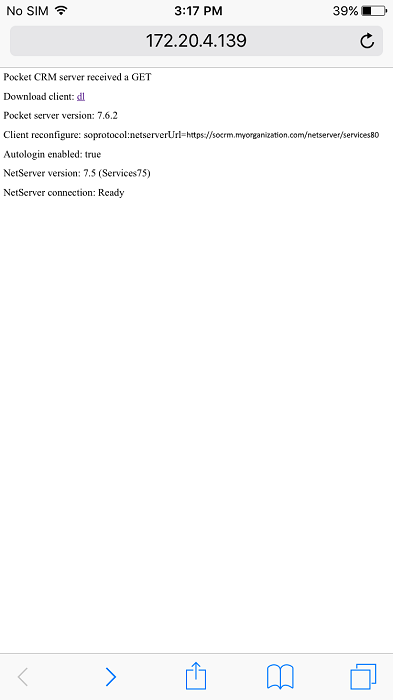
In the file, locate the server’s hostname and the path to the /services84 folder. Added the following to the netserverUrl property. Adjust for your endpoint version.
CLIENT_CONFIGURE=soprotocol://?netserverUrl=https://socrm.myorganization.com/netserver/services84 -
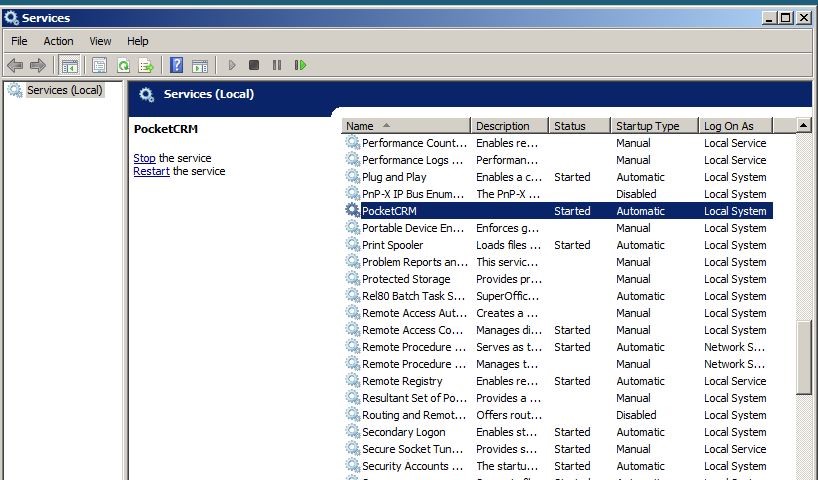
Restart Tomcat. Normally this can be done by restarting PocketCRM in Local services.
 Pocket users will then be redirected immediately when they restart the Pocket application.
It may be wise to let the Pocket server run for a while to be sure that all users have been “moved”.
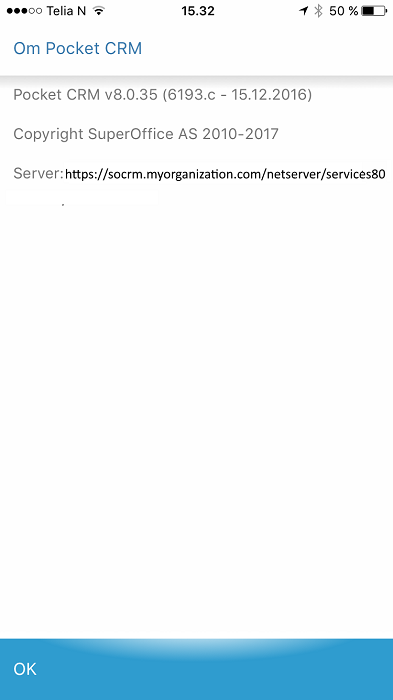
For the Pocket user it is possible to verify the redirection by checking Task - Settings - About Pocket CRM.
Pocket users will then be redirected immediately when they restart the Pocket application.
It may be wise to let the Pocket server run for a while to be sure that all users have been “moved”.
For the Pocket user it is possible to verify the redirection by checking Task - Settings - About Pocket CRM.
Server URLs must end with the correct ServicesXX folder.