

Download the initial match DataBridge integrations from the Downloads section in Requirements (databridge-integrations-initial-import-visma-net.zip) before starting.
Overview
The initial match uses three DataBridge integrations:1. Export both lists
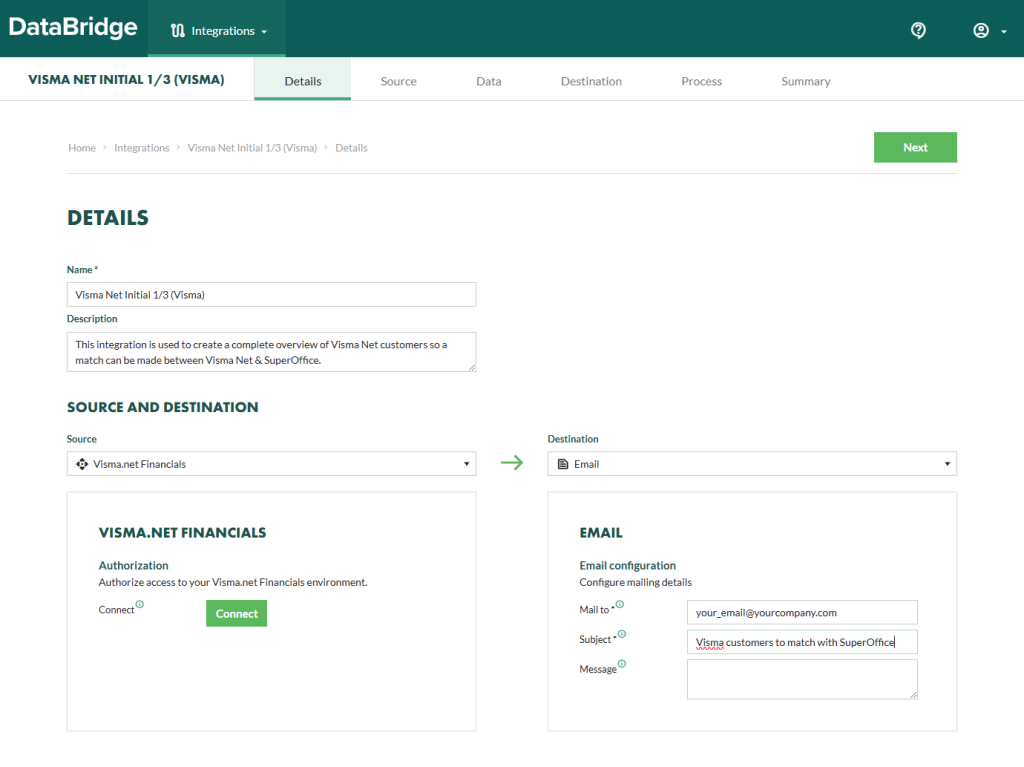
- In DataBridge, run Visma Net Initial 1/3 (Visma) to generate a list of Visma Net customers. Configure the email destination to receive the exported list.
- Run Visma Net Initial 2/3 (SuperOffice) to generate a list of SuperOffice companies.
2. Match the companies
Create an import file with two columns:Review and verify every match before importing. Incorrect links cause data to be written to the wrong company records.
3. Import the matches
- In DataBridge, open Visma Net Initial 3/3 (Link).
- Use the completed match file as the import source.
- Run the integration.
- In SuperOffice, verify that the ERP Cust. Number field is populated on the linked companies.