Screen designer - settings on fields
Setting up the different layouts with the different fields is a detailed job. To get the best result, you want to have some fields left-aligned and some fields right -aligned. Especially number fields are very neat to have right-aligned, so it’s easier to compare the different numbers with each other.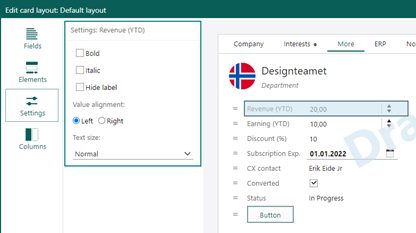 Select the field and choose the correct settings for the field, both for font and alignment.
Screen designer - info for last published by and date
The layout can be drafted and published by multiple users.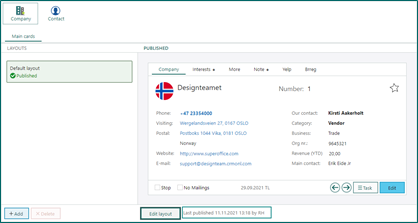 To see the date on Last published and the user that did it, is very good indication to see if the latest changes have been published or not.
Screen designer - custom buttons with tooltip
Creating a user-defined button, it’s a good idea to not have a very long name on the button.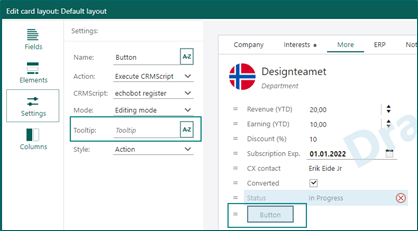 To give your users knowledge about what will happen pushing this button, add a good tooltip like a description for the button.
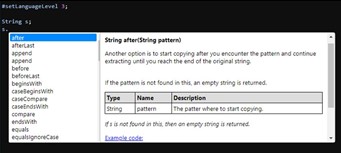
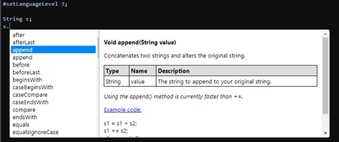
CRMScript - intellisense experience
Intellisense has a more unified and informative look and feel, making it clear what is the expected return type and parameters.