

Import - Gmail import of contacts
Due to changes in the Google Contacts APIs, we had to rewrite the affected import tools.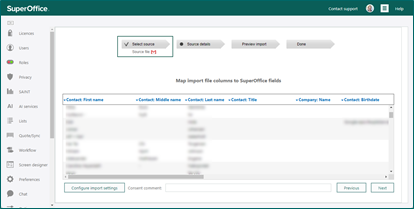 You get to import only the saved contacts from Google Contacts, and not all of your used email addresses. That will give a better quality of your import since just an email is often too little information of the contact.
Screen designer - Address field in expanded or one-line mode
When creating the company and contact layout, you sometimes want to show more or less of the address field. A check box for Show in expanded mode will give you the option to select the preferred look on the address.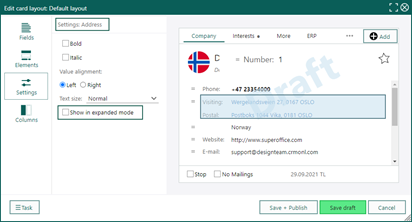 Some do prefer to see the whole address field, while some don’t use the address field that much, and are better off just seeing a one-liner for the address.
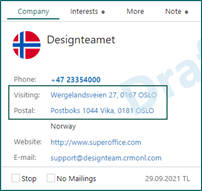
Show in expanded mode = OFF (default):
Some do prefer to see the whole address field, while some don’t use the address field that much, and are better off just seeing a one-liner for the address.
Show in expanded mode = OFF (default):
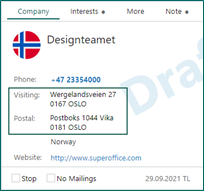
 Show in expanded mode = ON:
Security improvements - Credentials and checks
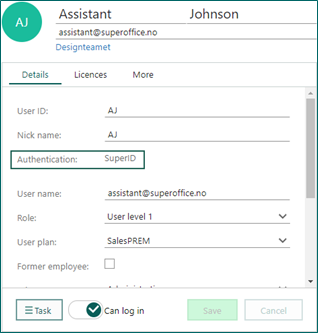
Change password dialog opened from the main menu
- For online users using SuperID, the dialog is now opened with a button. The user can click to receive the reset password email. Previously the password could be changed from within the dialog with no validation of password policy.
- For online users using external IDP (Microsoft, Google), the dialog is now opened with a message that the password can be changed only for standard SuperOffice login. Previously the menu item was disabled with this message in a tooltip.
- For onsite users - dialog is opened as today, and password can be changed within dialog **with validation of password policy (previously no validation).