

Request administration - Re-organized screens
You can access the Request screens from both Settings and maintenance and Service. They contain the same information and settings but look slightly different.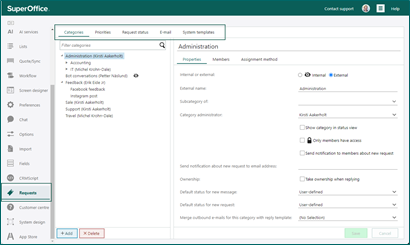 The screens in Requests are:
- Categories
- Priorities
- Request status
- System templates
Triggers - Quote approval triggers
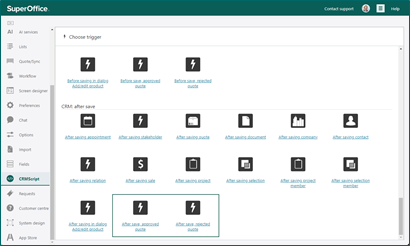
When you work with sales you might have come across sales that need approval because the discount is too high or for another reason. To handle approvals efficiently, you can use these triggers:- Before save, approved quote
- Before save, rejected quote
- After save, approved quote
- After save, rejected quote
Subscription management - Subscription form page with Powered by SuperOffice
All contacts in SuperOffice have the option to control their own subscription management. On their overview they select yes/no on the different subscription types you have. A text for Powered by SuperOffice is added in the bottom-right corner of the page.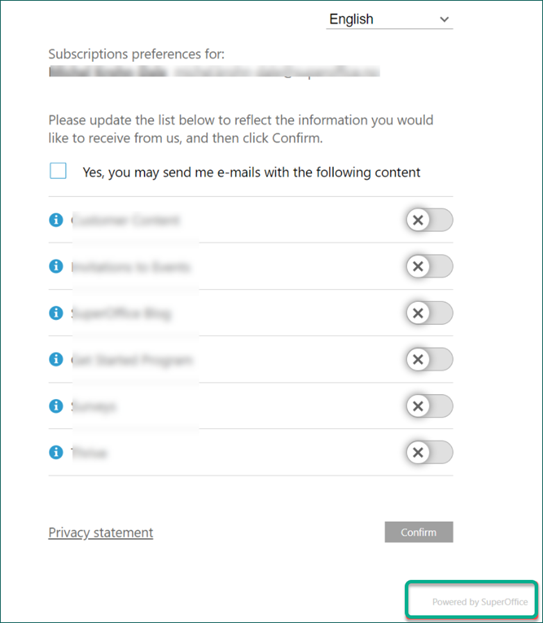 The setting to show or not show this text is located in the Global preferences under the Marketing section:
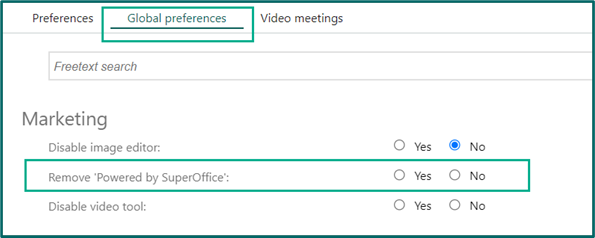 With this preference you have more control of how the subscription page looks for your contacts.