You can also search for and select requests to merge from the search results screen or lists. Then click the Task button in the lower left corner and select Merge requests.
Steps
- Open one of the requests you want to merge.
- Click and select Merge. A screen opens, showing the fields that must be merged. Now you need to find the request to merge with this one.
- In the search field, start typing a request name or enter a request ID. Enter % to display all requests.
- Select a request from the list of search results.
- To add more requests, repeat the previous steps.
- Click Merge. The requests are merged.
Know which tabs close after a merge
On the Request screen, the tabs of the requests that were merged into another request close, even if pinned. If you were viewing a request that was merged away, the request it was merged into opens in its place.Primary request
The request with the earliest registered date is automatically the primary request, and the other requests are merged into it. Customers and colleagues refer to the original request number, so this keeps the request number they know.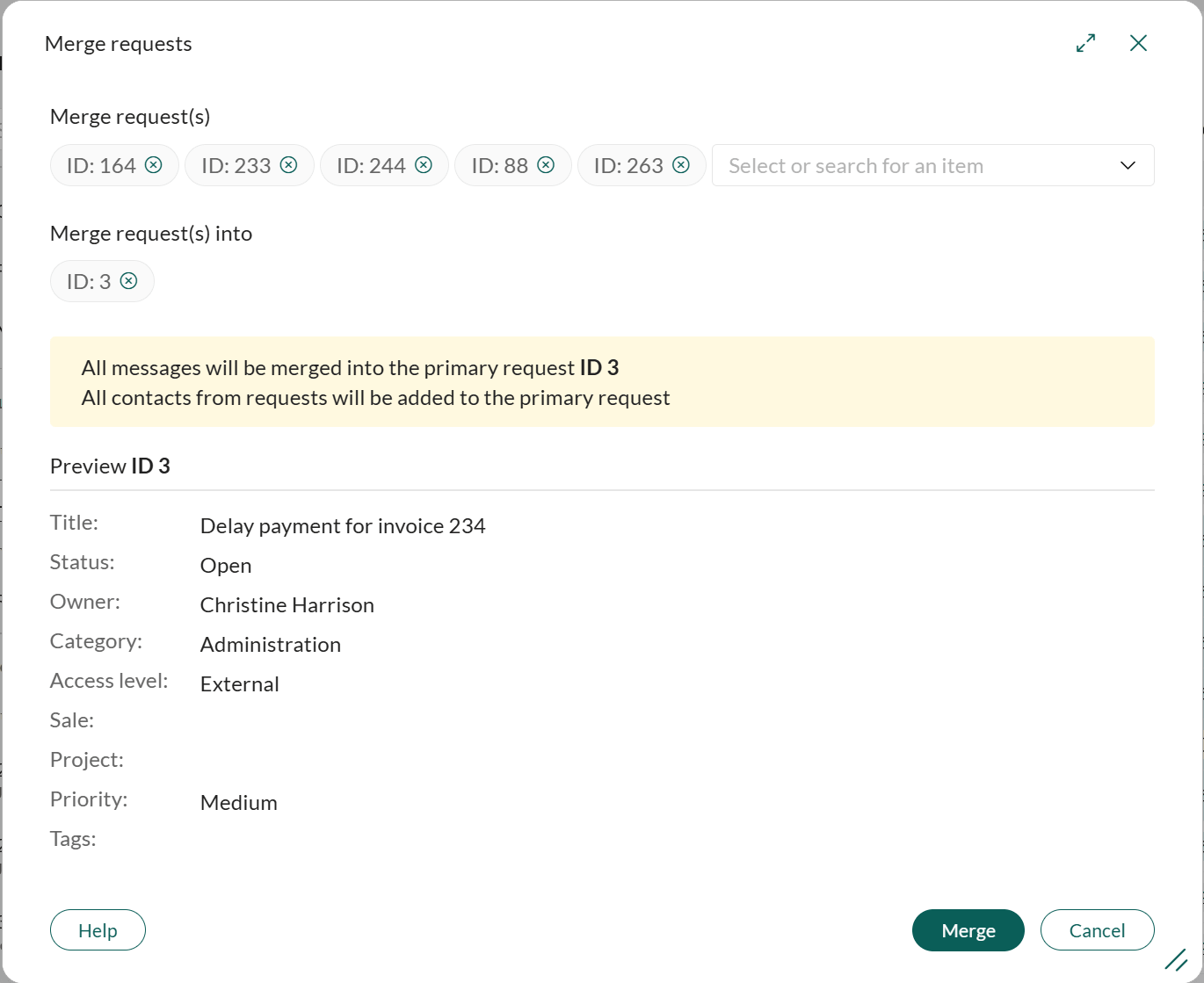 When you merge exactly two requests, you can click the arrow icon in the Merge requests dialog to reverse the direction, so the newest request becomes the primary request.
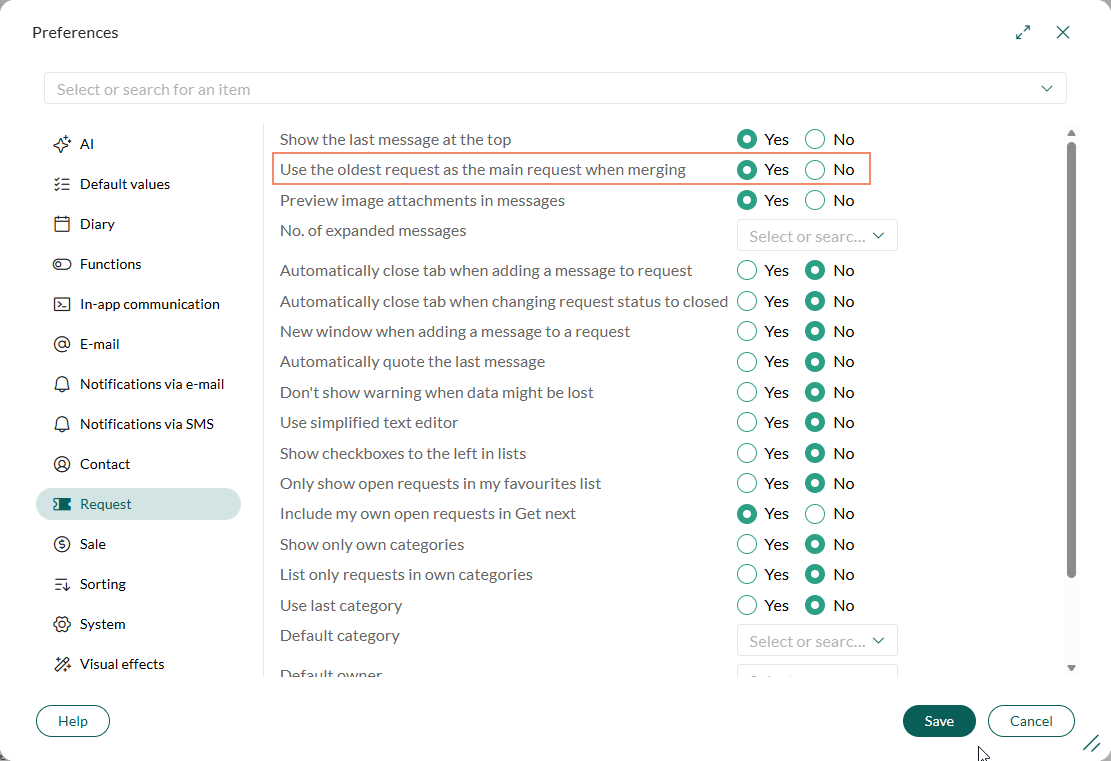
The behavior is controlled by the preference Use the oldest request as the main request when merging, which is enabled by default. To change it:
When you merge exactly two requests, you can click the arrow icon in the Merge requests dialog to reverse the direction, so the newest request becomes the primary request.
The behavior is controlled by the preference Use the oldest request as the main request when merging, which is enabled by default. To change it:
- Go to Personal settings > Preferences.
- Select Request, and set Use the oldest request as the main request when merging to Yes or No.
- Click Save to apply your changes.