Steps
- On the Zaps page, click Create. Then click on the Trigger step and choose the event that will start a Zap.
-
Click on the Action step to set up app, event, and account:
- In the Action event section, select Create Appointment
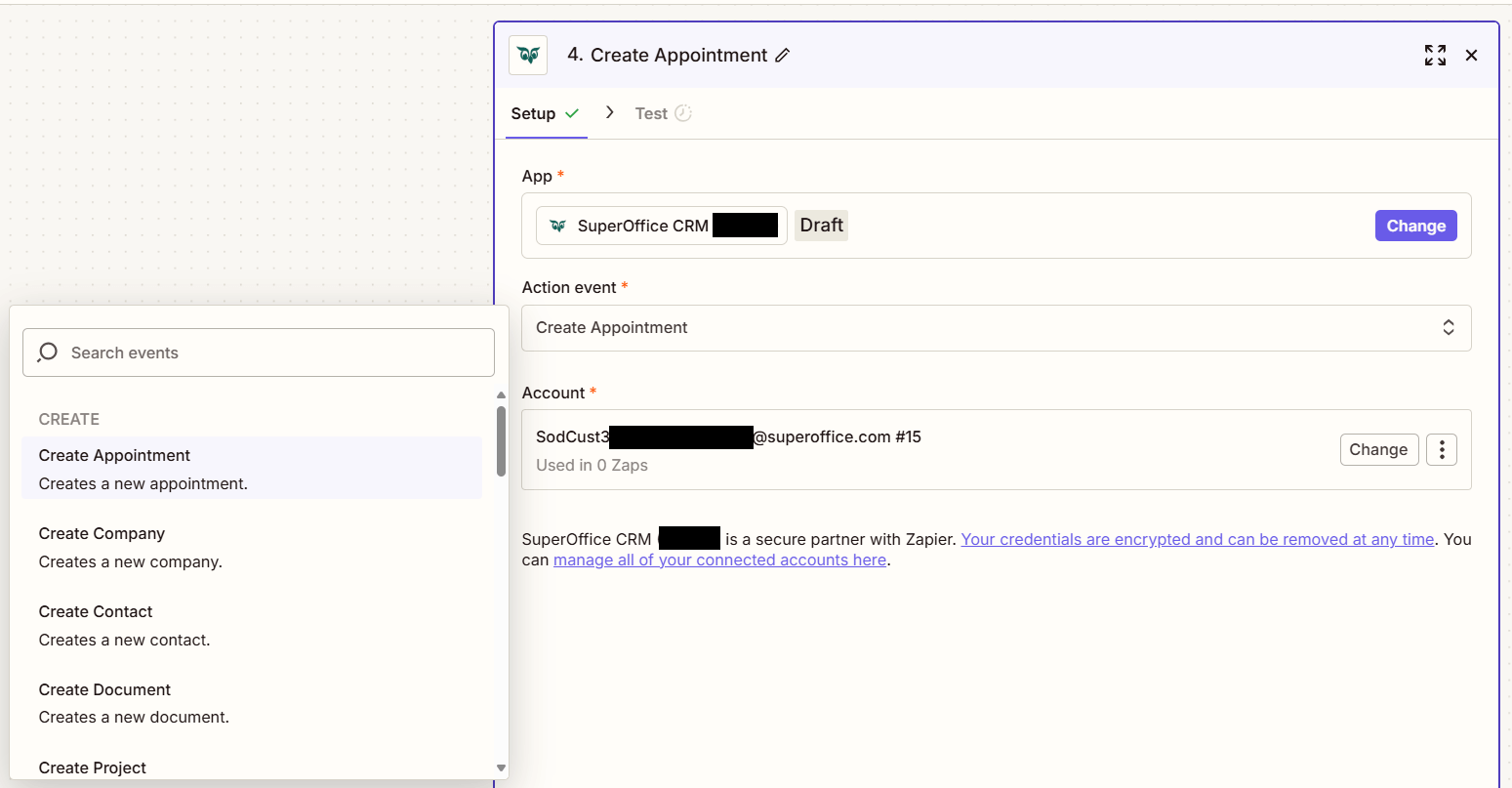
- Click Continue.
-
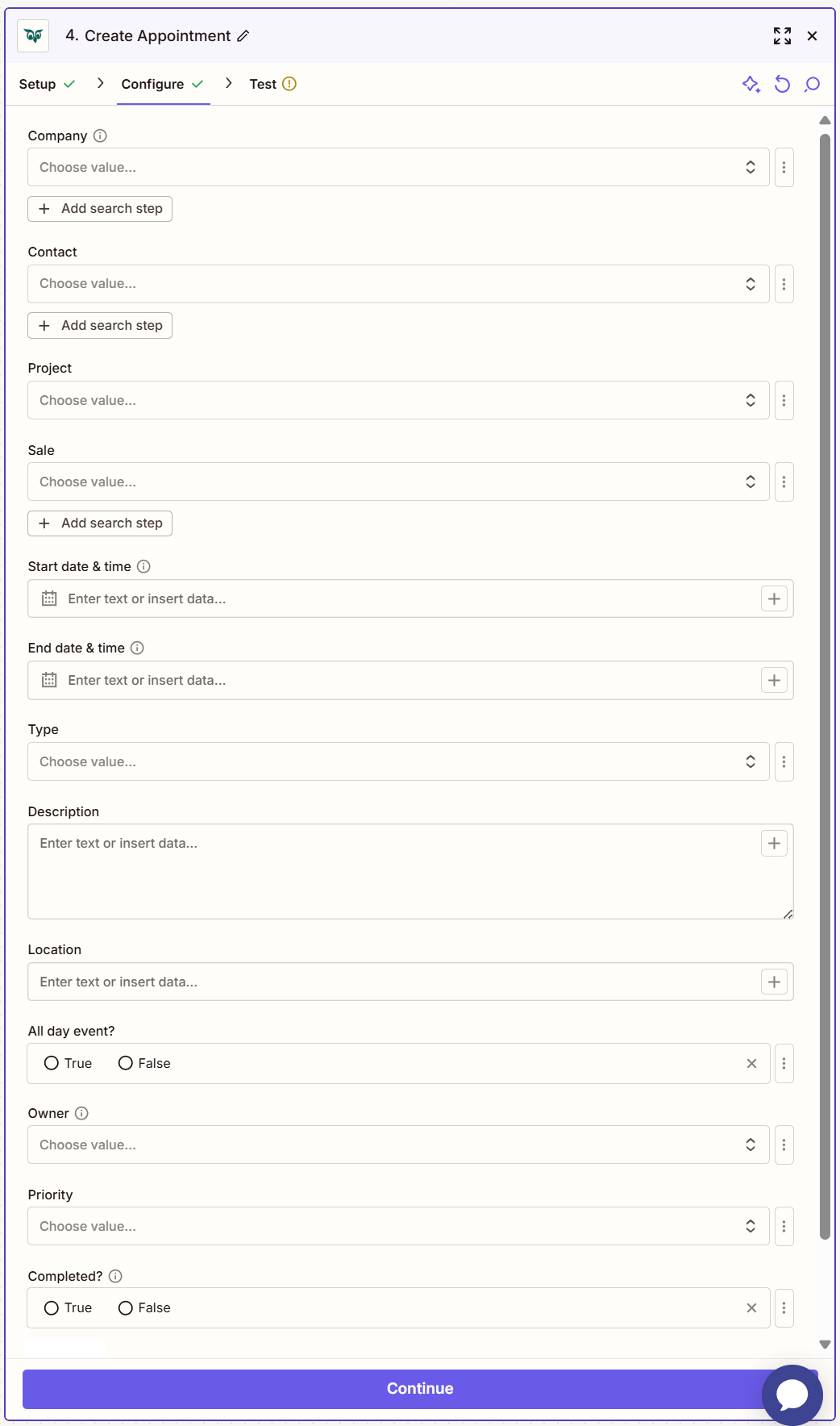
Fill out the mandatory fields and optionally other fields and click Continue.
-
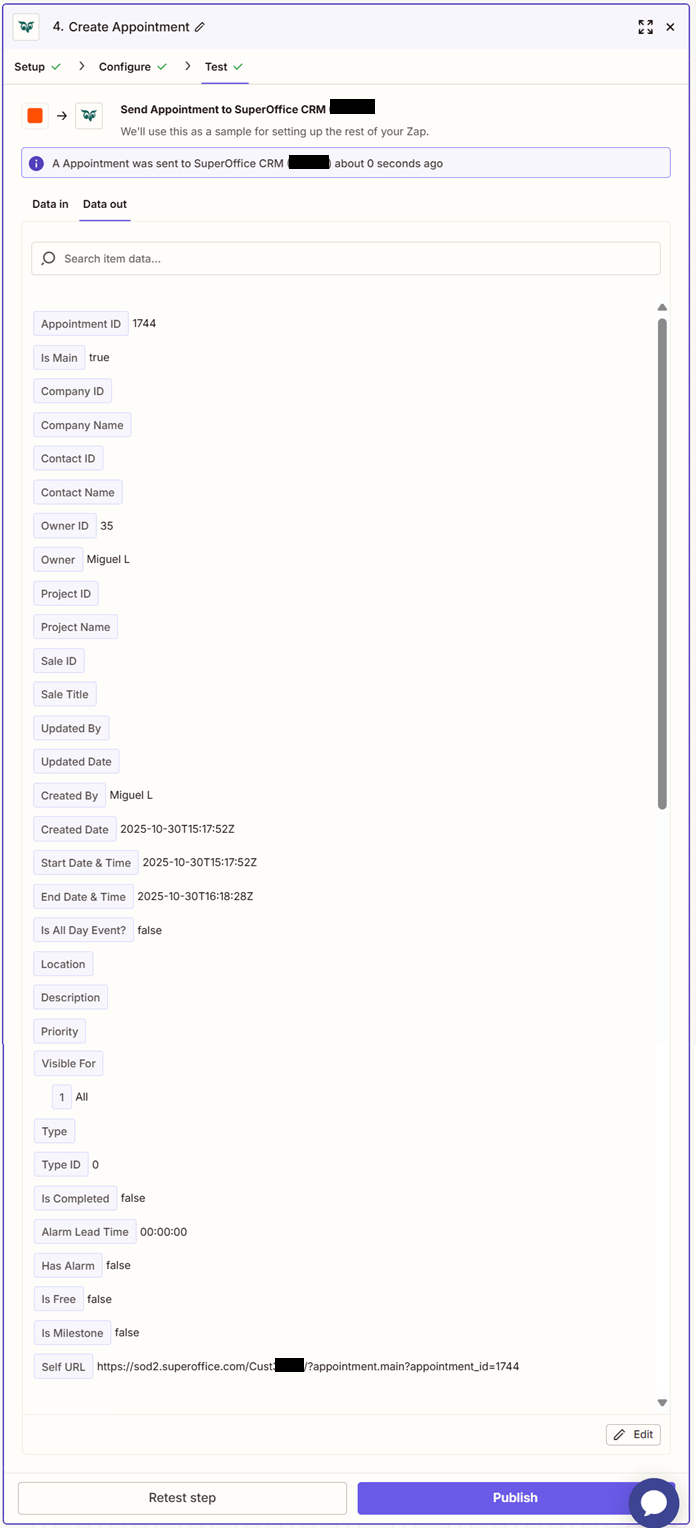
Click Test step to check that the action works.
If the above steps were configured correctly, the response should consist of Appointment id, Contact id, Person if, Project id, Sale id, Start date & time, End date & time, Type, Description, Location, All day event, Owner, Priority, Completed.