| addressformat_id | Primary key | PK | No |
| name | Name of address format (descriptive, multi-language) | String(239) | No |
| layout_id | Corresponds to Country.layout_id | ShortId | No |
| atype_idx | Corresponds to Address.atype_idx | UShort | No |
| address1_line | Line no. for address1 field, 0 if not shown | UShort | No |
| address1_subpos | Position within line for address1 field | UShort | No |
| address1_leadtext | Lead text resource ID for address1 field, 0 = no leadtext | Id | No |
| address1_zip | Zip lookup functionality for address1 field: 0 = none, 1 = source, 2 = target | UShort | No |
| address1_length | Field length in characters for address1 field | UShort | No |
| address1_flags | Field flags for address1 field: See EAddrFormatFlags enum | UShort | No |
| address1_mask | Formatting mask for address1 field | String(9) | No |
| address2_line | Line no. for address2 field, 0 if not shown | UShort | No |
| address2_subpos | Position within line for address2 field | UShort | No |
| address2_leadtext | Lead text resource ID for address2 field, 0 = no leadtext | Id | No |
| address2_zip | Zip lookup functionality for address2 field: 0 = none, 1 = source, 2 = target | UShort | No |
| address2_length | Field length in characters for address2 field | UShort | No |
| address2_flags | Field flags for address2 field: See EAddrFormatFlags enum | UShort | No |
| address2_mask | Formatting mask for address2 field | String(9) | No |
| address3_line | Line no. for address3 field, 0 if not shown | UShort | No |
| address3_subpos | Position within line for address3 field | UShort | No |
| address3_leadtext | Lead text resource ID for address3 field, 0 = no leadtext | Id | No |
| address3_zip | Zip lookup functionality for address3 field: 0 = none, 1 = source, 2 = target | UShort | No |
| address3_length | Field length in characters for address3 field | UShort | No |
| address3_flags | Field flags for address3 field: See EAddrFormatFlags enum | UShort | No |
| address3_mask | Formatting mask for address3 field | String(9) | No |
| city_line | Line no. for city field, 0 if not shown | UShort | No |
| city_subpos | Position within line for city field | UShort | No |
| city_leadtext | Lead text resource ID for city field, 0 = no leadtext | Id | No |
| city_zip | Zip lookup functionality for city field: 0 = none, 1 = source, 2 = target | UShort | No |
| city_length | Field length in characters for city field | UShort | No |
| city_flags | Field flags for city field: See EAddrFormatFlags enum | UShort | No |
| city_mask | Formatting mask for city field | String(9) | No |
| county_line | Line no. for county field, 0 if not shown | UShort | No |
| county_subpos | Position within line for county field | UShort | No |
| county_leadtext | Lead text resource ID for county field, 0 = no leadtext | Id | No |
| county_zip | Zip lookup functionality for county field: 0 = none, 1 = source, 2 = target | UShort | No |
| county_length | Field length in characters for county field | UShort | No |
| county_flags | Field flags for county field: See EAddrFormatFlags enum | UShort | No |
| county_mask | Formatting mask for county field | String(9) | No |
| state_line | Line no. for state field, 0 if not shown | UShort | No |
| state_subpos | Position within line for state field | UShort | No |
| state_leadtext | Lead text resource ID for state field, 0 = no leadtext | Id | No |
| state_zip | Zip lookup functionality for state field: 0 = none, 1 = source, 2 = target | UShort | No |
| state_length | Field length in characters for state field | UShort | No |
| state_flags | Field flags for state field: See EAddrFormatFlags enum | UShort | No |
| state_mask | Formatting mask for state field | String(9) | No |
| zip_line | Line no. for zip field, 0 if not shown | UShort | No |
| zip_subpos | Position within line for zip field | UShort | No |
| zip_leadtext | Lead text resource ID for zip field, 0 = no leadtext | Id | No |
| zip_zip | Zip lookup functionality for zip field: 0 = none, 1 = source, 2 = target | UShort | No |
| zip_length | Field length in characters for zip field | UShort | No |
| zip_flags | Field flags for zip field: See EAddrFormatFlags enum | UShort | No |
| zip_mask | Formatting mask for zip field | String(9) | No |
| extraFlags | OBSOLETE: Extra flags for tag substitution mechanism, see idb.h. This function has been taken over by the tag-based formatting, controlled by the labelLayout and labelLayout2 fields | UInt | No |
| labelLayout | Format specification for labels, uses standard tags | String(254) | Yes |
| registered | Registered when | UtcDateTime | No |
| registered_associate_id | Registered by whom | FK associate | No |
| updated | Last updated when | UtcDateTime | No |
| updated_associate_id | Last updated by whom | FK associate | No |
| updatedCount | Number of updates made to this record | UShort | No |
| labelLayout2 | Part two of format specification, concatenated with part one above | String(254) | Yes |
| isBuiltIn | Is this row populated by SuperOffice? | Bool | Yes |


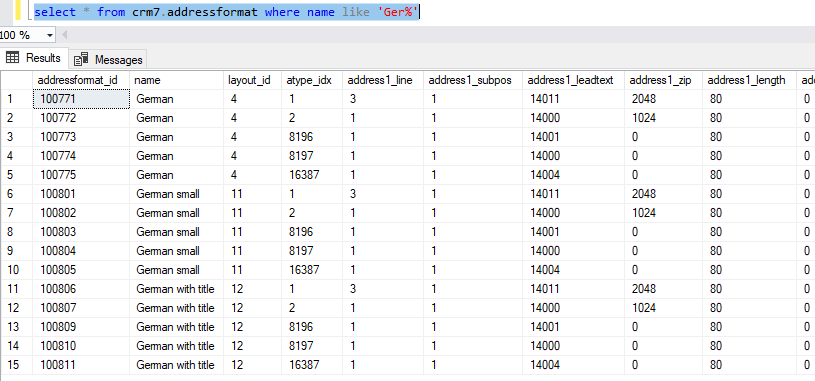 To copy street address to postal address, and the reverse is done by updating the following in table